SMS
7 min
SMS campaigns: high-ROI examples, pricing and complete guide
High-ROI SMS campaign examples, setup steps, pricing and a checklist: the keys to engaging your customers with WAX.

Enora Le NozaihGrowth Lead
Oct 15, 2026
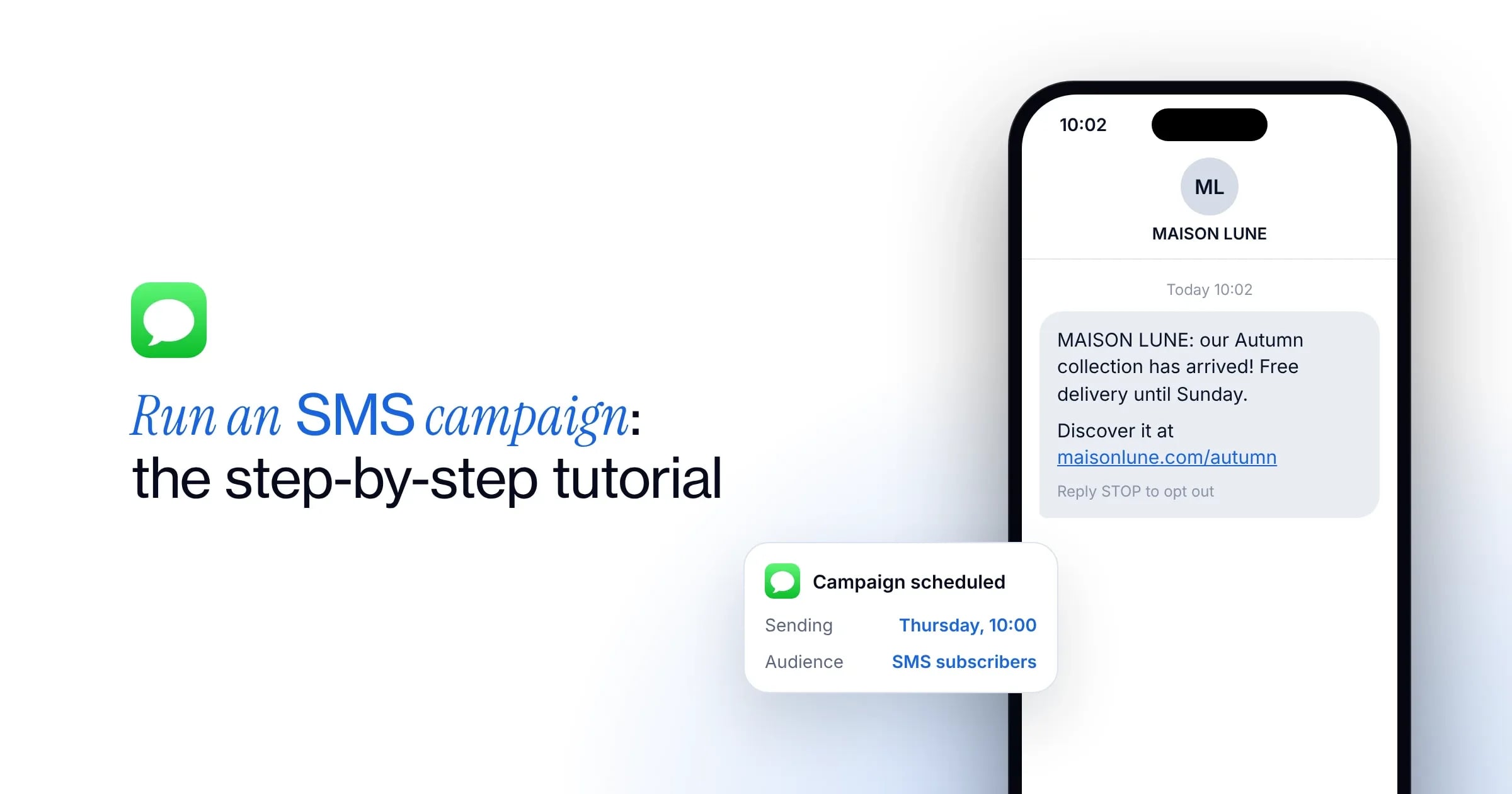
You have defined your SMS marketing strategy and the offer you want to share with your customers? Now it’s time to send the messages. Running a marketing campaign on mobile is very simple, provided you use the right digital platform.
This tutorial shows you how WAX works to set up and send your SMS campaigns, grow your business and drive purchases. Also read our complete guide to SMS campaigns (legal rules, pricing, high-ROI examples).
With the WAX platform, you can display your brand name rather than an anonymous number on your customer’s phone. To do so, set up your Sender name before scheduling your campaigns. This feature helps you stand out and reassures your customers when the message arrives.
Before launching your campaigns, build your audience on the WAX platform. There are two ways to do it: manually importing a CSV file, or syncing automatically through our integrations.
Before importing, format your file correctly. It must have at least two columns, named without capitals or spaces:
If you want to add another column, name it in the same format. Replace spaces with underscores and avoid capitals. For example, use “date_of_birth” rather than “Date Of Birth”.
Then run your import in WAX:
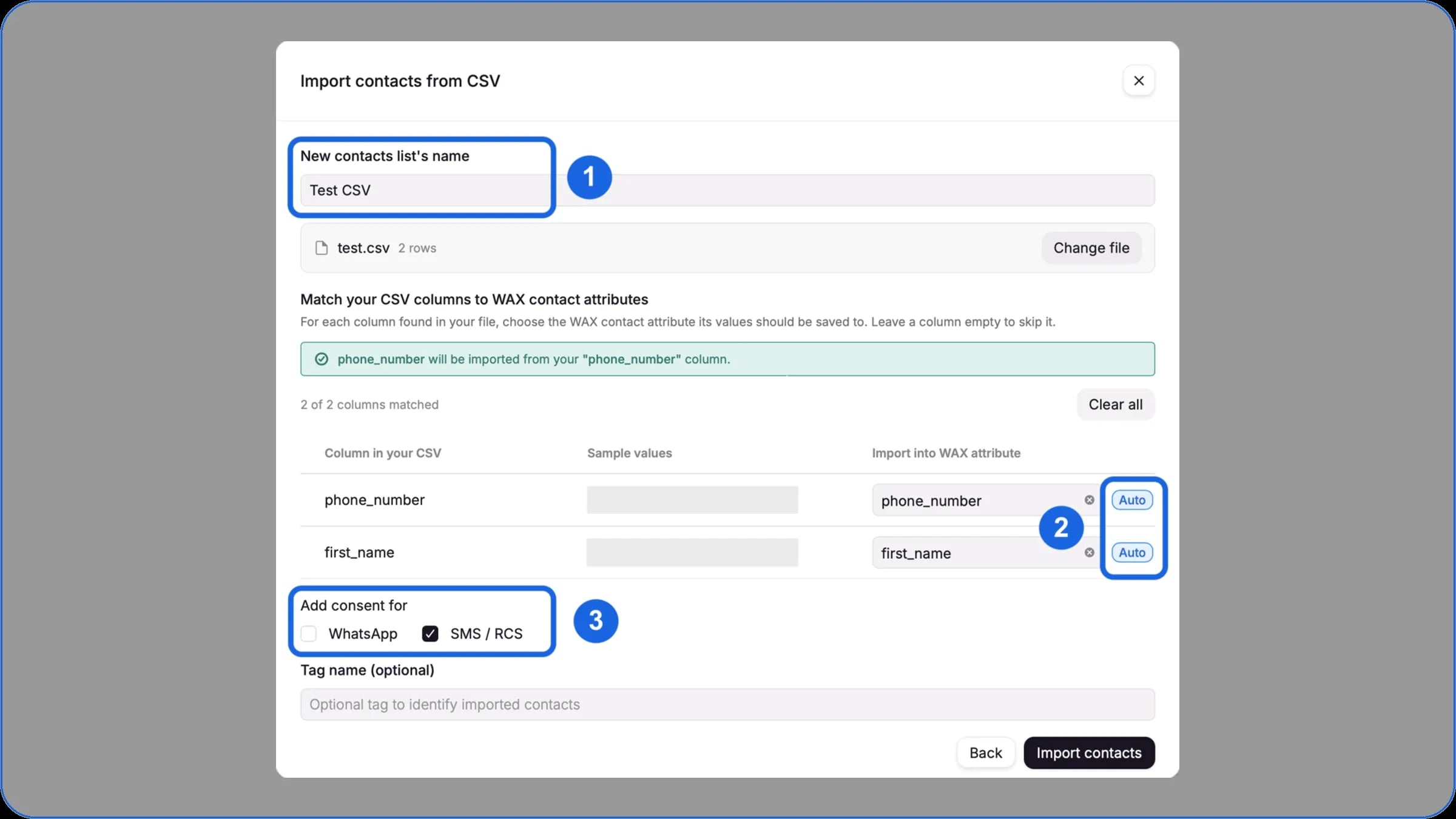
Any newly imported contact is given the “opt-in unknown” status if they have never been identified as opted in on WAX. So remember to tick “Add consent for SMS” to record their consent and be able to send them SMS campaigns.
The integration takes one click! Sync your data automatically by connecting to:
For a high-impact SMS campaign, send a personalised offer to the right contacts rather than a generic message.
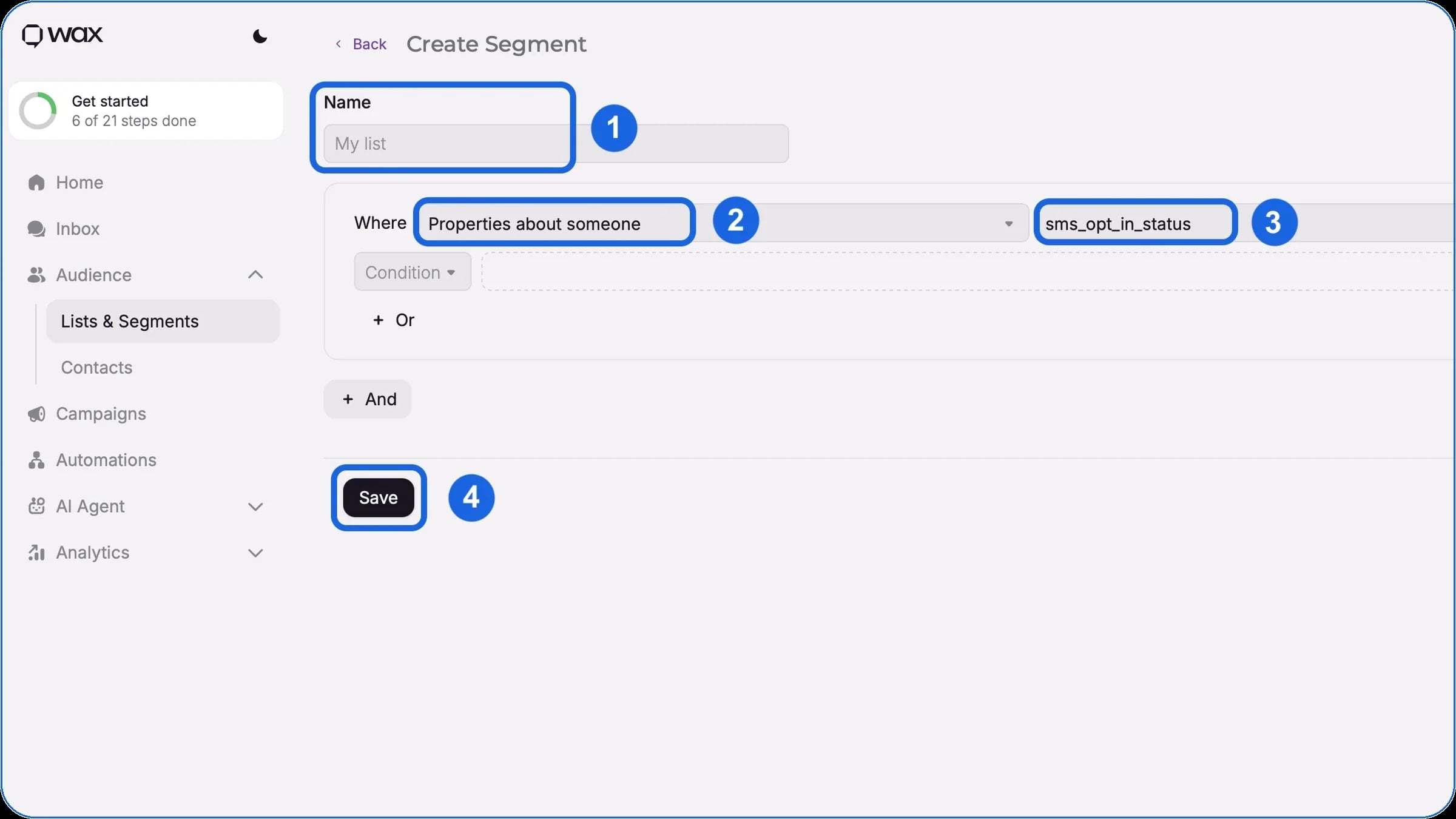
Segment your customers directly from the platform:
Your segment is ready to use straight away. You can use it directly in WAX, as well as in your other CRM tools (such as Klaviyo).
To start, click the Campaigns tab in the platform’s main menu. This area brings together the management of your marketing campaigns, organised by status:
To design a new campaign, simply click the “Create” button.
When you design your campaign, WAX offers two approaches:
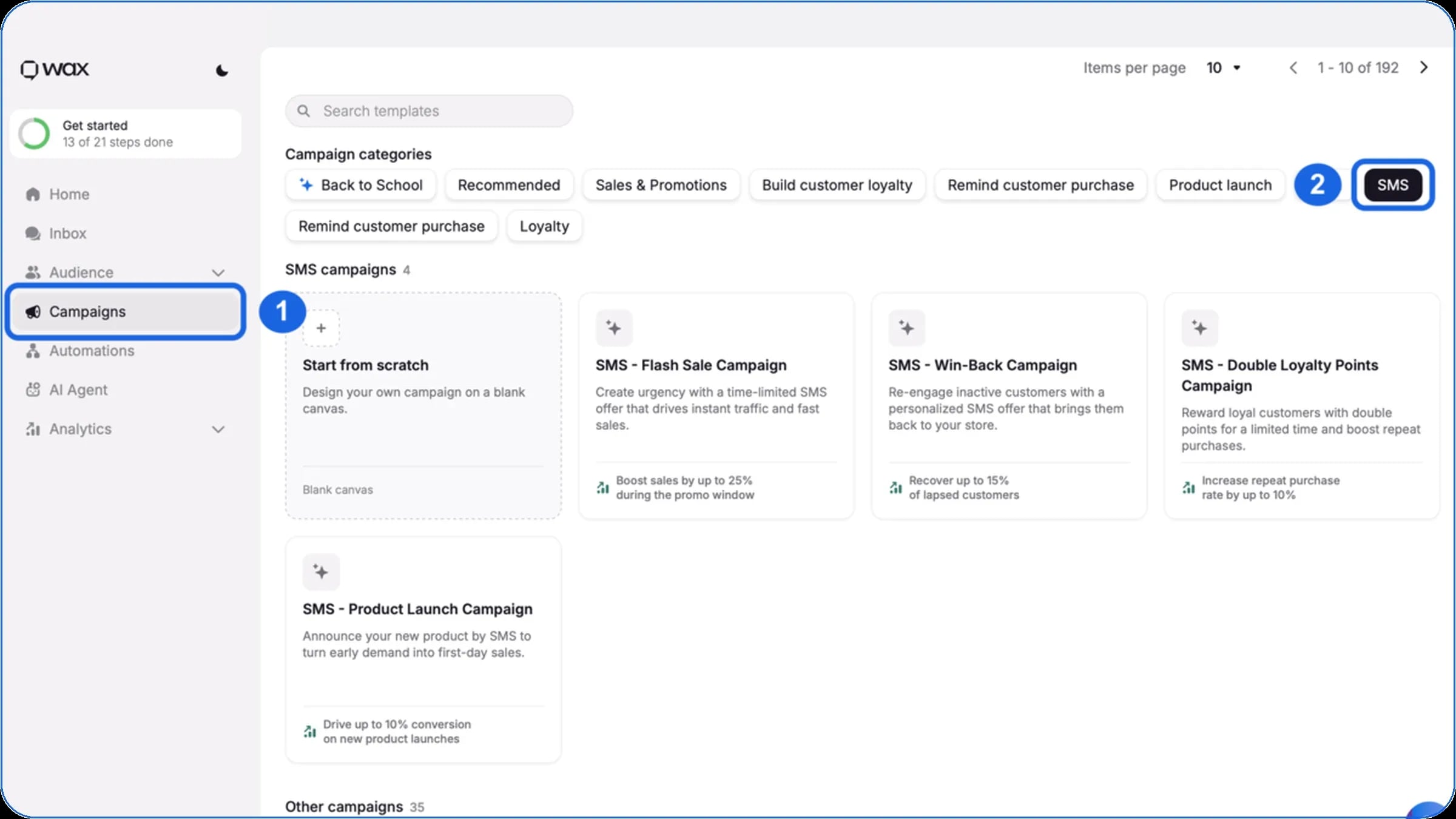
To select and adapt a template:
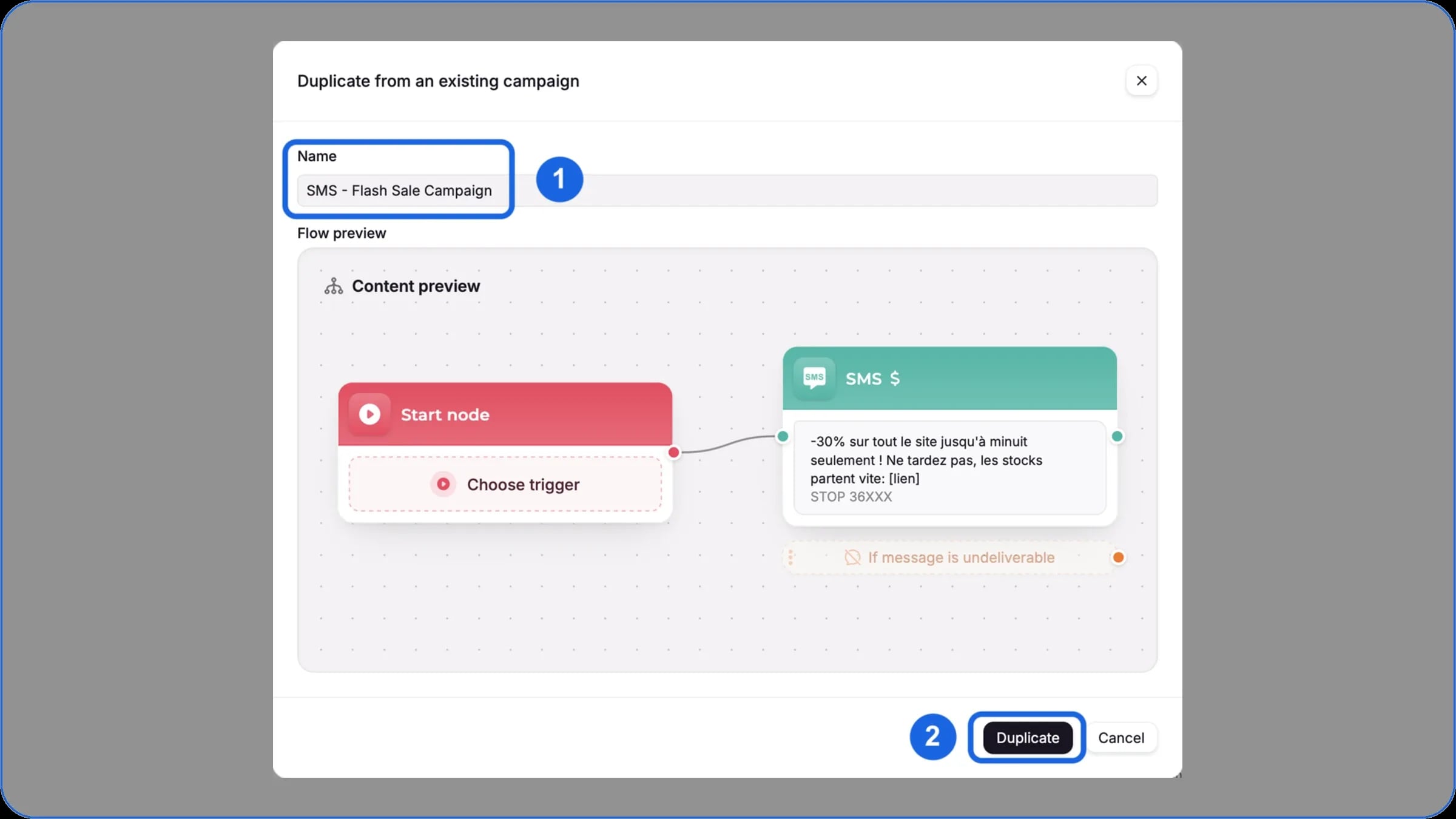
In SMS marketing, brevity is key. Your message is limited to 160 characters, minus the mandatory STOP notice and special characters, which sometimes count double. Get straight to the point to catch each customer’s attention, with a punchy hook and a clear call to action (CTA).
Use the data collected from your customers to send a tailored offer or insert dynamic variables. Bear in mind, though, that they affect the final length of your SMS: a long first name could, for example, push you over the 160-character limit. So keep the number of variables per message low.
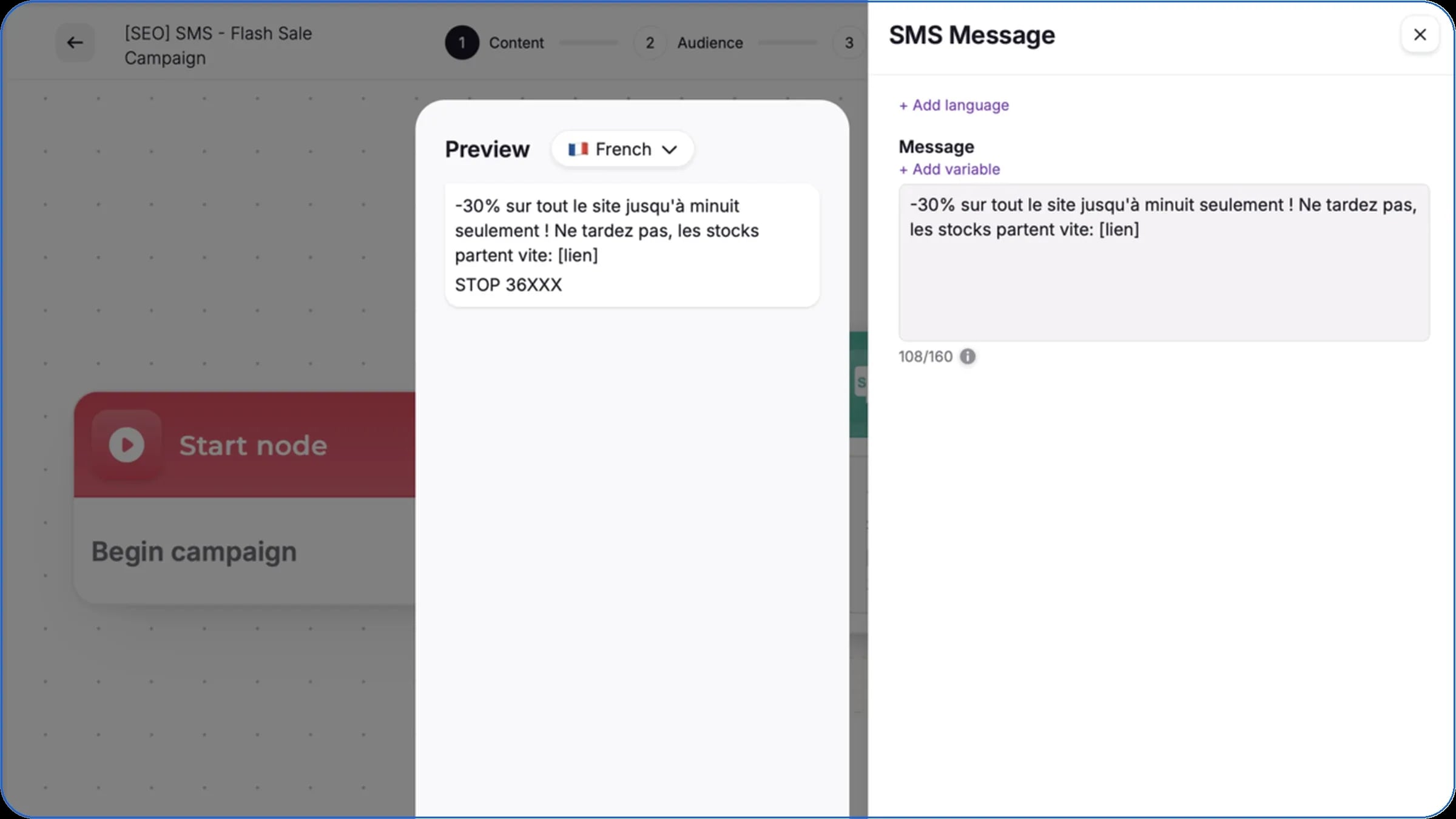
If you go over that limit, your send is counted and billed as several SMS. The WAX platform, however, lets you display your text as a single, readable message on your customers’ phones.
Sending a test is an essential step to make sure your marketing campaign goes out perfectly. It lets you see exactly how your messages look on a smartphone and check that your links work.
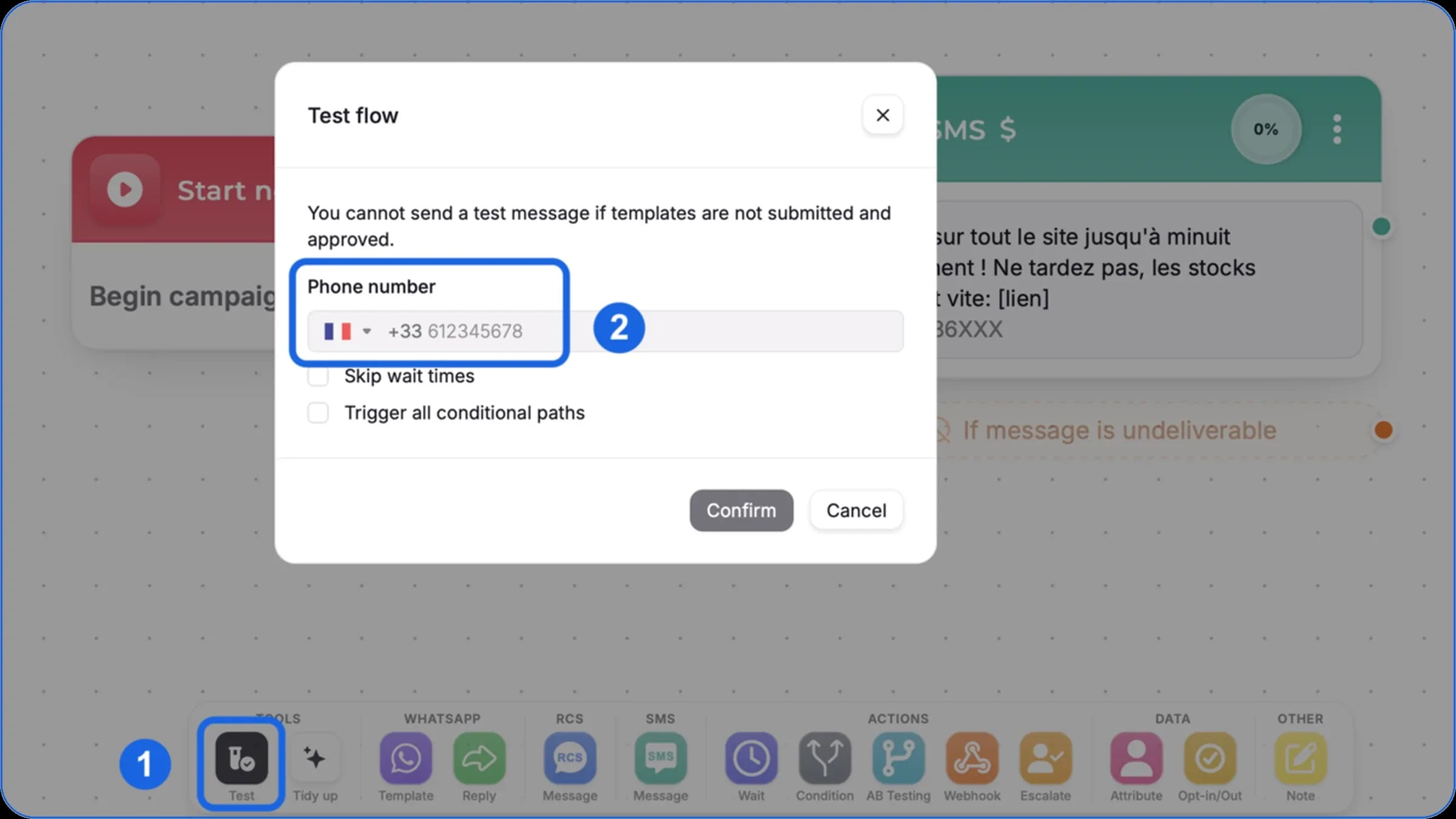
Anyone with access to your WAX workspace can run these checks. Here’s how:
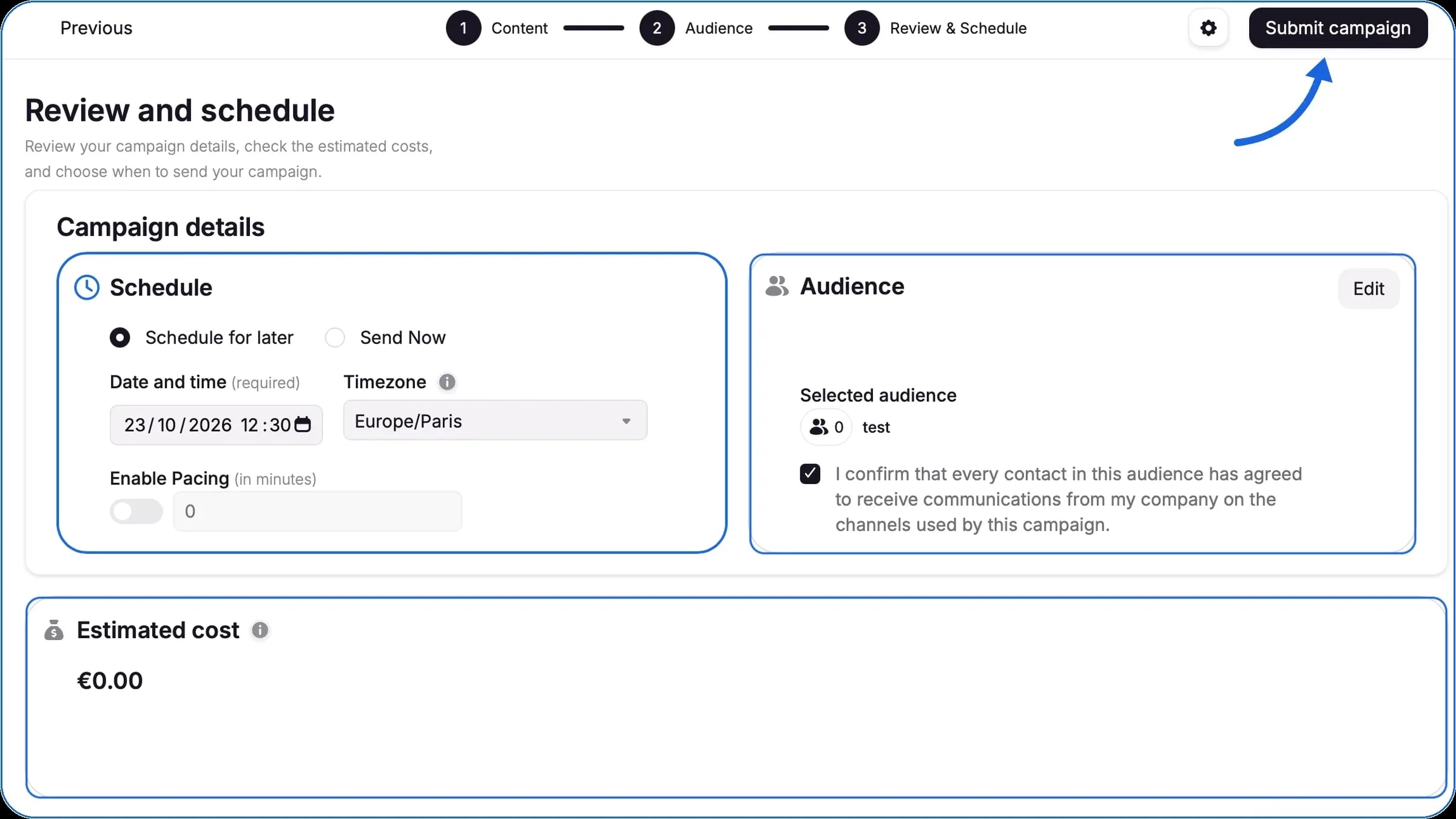
Once the message is approved, all that’s left is to schedule your campaign for your audience:
You can then follow your SMS campaign’s status as it changes (Scheduled, In progress, Completed).
As soon as the status changes to “Completed”, you can view your performance indicators to measure how effective your marketing campaign was:
These results help you adjust your strategy, refine your segments and increase the impact of your next SMS campaigns.
High-ROI SMS campaign examples, setup steps, pricing and a checklist: the keys to engaging your customers with WAX.
Everything you need to know about SMS marketing: benefits, regulations, key steps and real examples to boost your ROI.
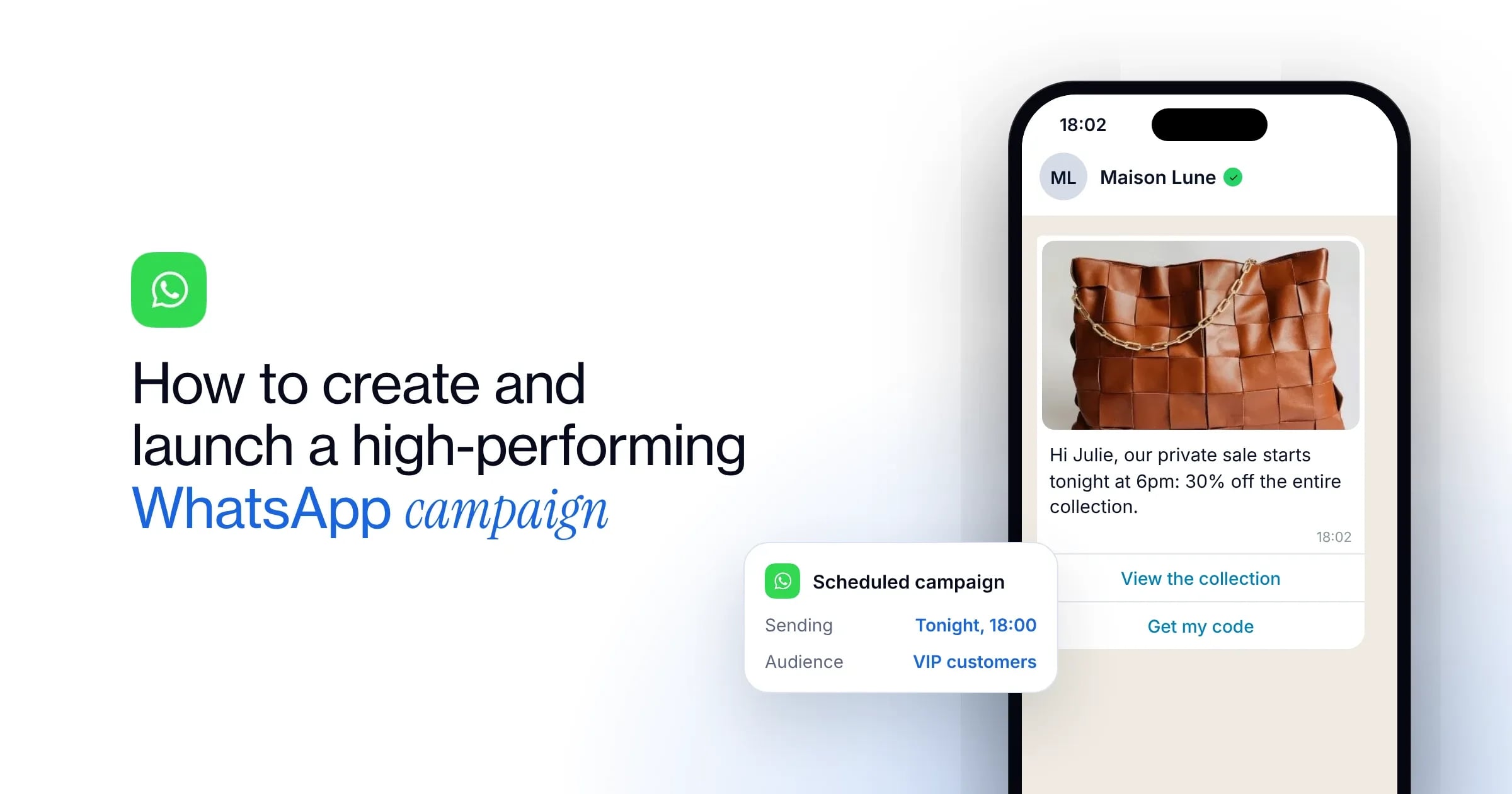
The 7 steps to launch a WhatsApp campaign, our best practices and 5 examples to engage your customers and sell more with WAX.
Traditional chatbots primarily answer customer questions. WAX combines customer data, campaigns, automation, commerce and AI across the customer journey to help brands engage customers, drive purchases, build retention and provide customer support.