RCS
9 min
RCS marketing: guide, pricing and the best platforms
RCS marketing turns SMS into a conversation: rich formats, a verified profile and use cases to boost your ROI.

Enora Le NozaihWhatsApp, RCS & SMS Expert
Oct 7, 2026
Summarise this article with:
Interactive quiz
Which RCS campaign for your next key moment?
Your next key moment?
Standard SMS is showing its limits. Brands now need a channel that can enrich their mobile communication. That is exactly what RCS (Rich Communication Services) offers. This format reinvents the customer relationship with rich messages and a conversational approach.
How do you actually roll out this new channel? This guide walks you through designing, testing and sending your RCS campaign from A to Z.
To understand how it works technically, its pricing model and its regulations, read our full article on RCS marketing.
Developed by mobile operators and Google, RCS is a mobile communication channel designed to enrich traditional SMS.
Before sending an RCS campaign to your customers, you must obtain their explicit consent. The channel’s strength lies in reusing your SMS opt-in list directly. Using this data saves you valuable time and lets you send your marketing messages to an audience already receptive to your communications.
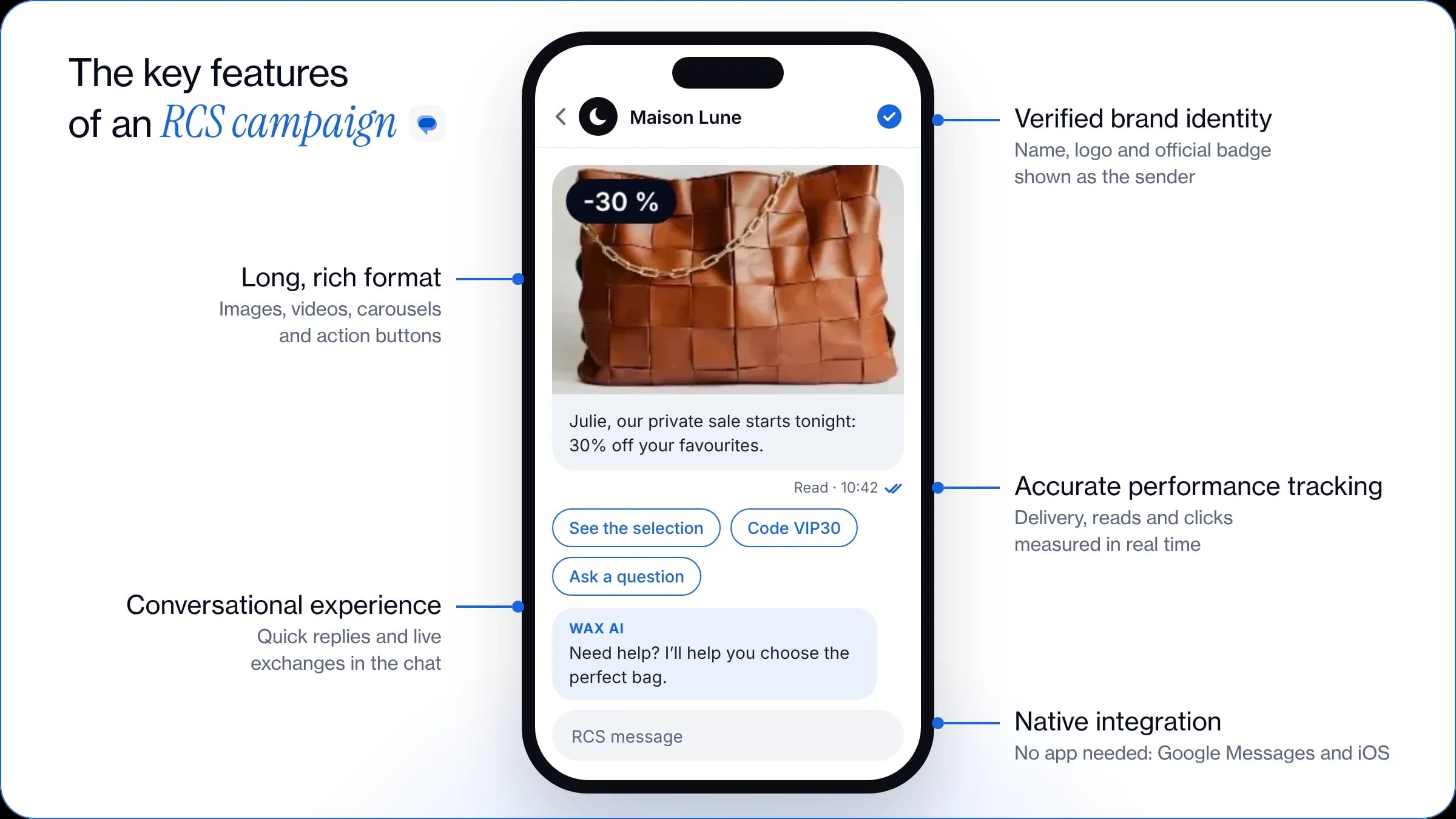
RCS doesn’t require a third-party app: it is built directly into each user’s messaging app, on Google Messages (Android) and on iOS (Apple). This ensures your messages are received properly and guarantees a smooth experience for the recipient.
On RCS, every business must have its profile approved by the operators and Google to obtain an official badge. When you send an RCS campaign, your brand name and logo appear directly as the sender. This feature increases the customer’s trust when reading the message.
Going far beyond plain text, your RCS campaign includes rich content such as images, videos or product carousels. You can also add action buttons to drive customer engagement.
RCS turns one-way communication into a genuine two-way conversation. Your customers can interact with you through quick reply buttons or directly in the chat.
RCS provides accurate analytics: real-time delivery receipts, read receipts, click tracking and more. These results let you assess your customers’ real engagement, measure the impact on your conversion rate and optimise your next campaigns.
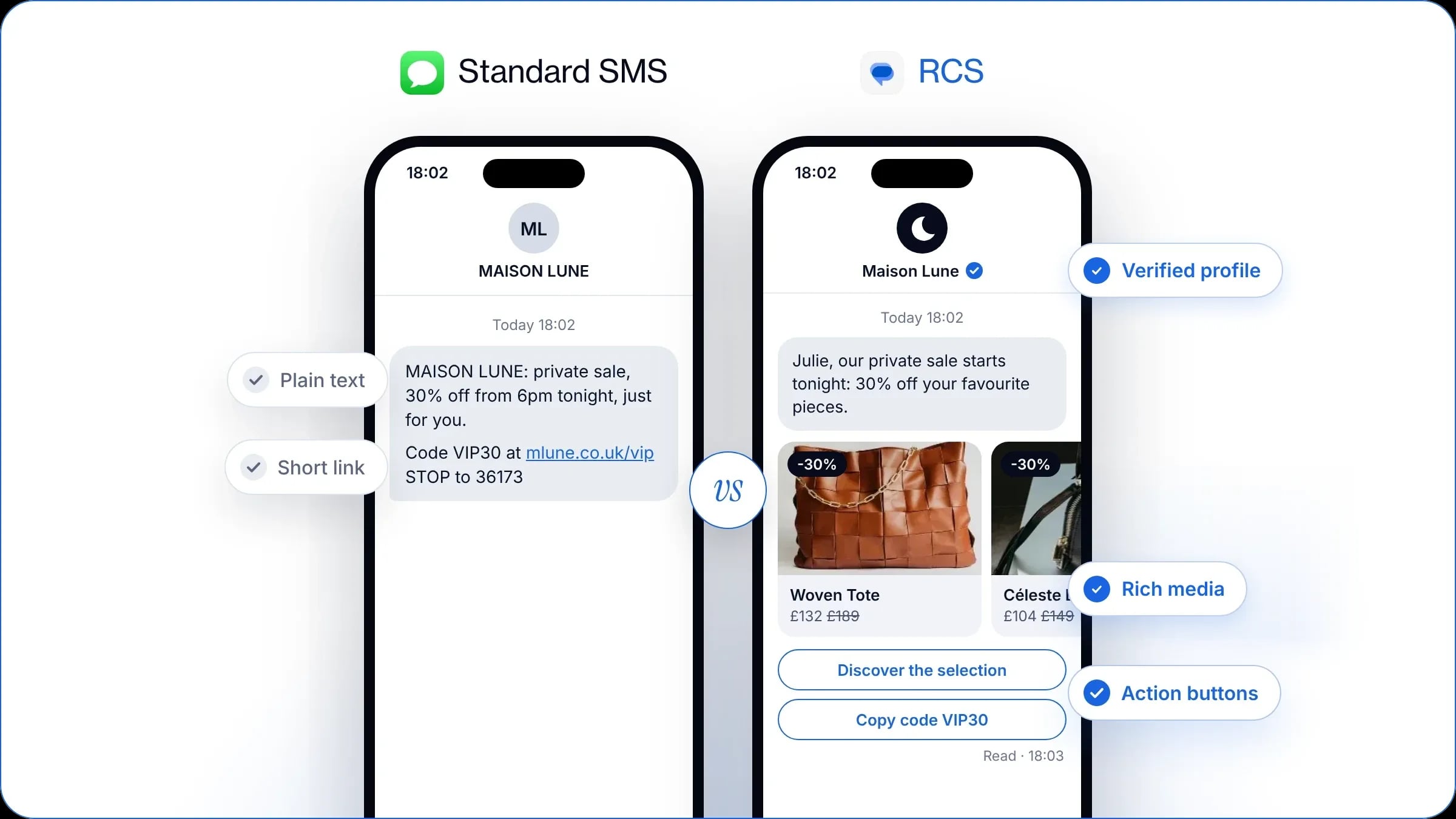
| Criteria |  Standard SMS |   RCS |
|---|---|---|
| Sender | Unverified sender name (Sender ID) | Verified brand identity (logo, Google certification) |
| Connection required | Works without an internet connection | Active internet connection (mobile data or Wi-Fi) |
| Content format | Plain text limited to 160 characters | Rich content (images, videos, product carousels, etc.) |
| Interactivity | Hyperlinks | Action and quick reply buttons |
| Type of exchange | One-way communication | Conversational experience |
| Performance tracking | Delivery receipts | Real-time tracking of reads, clicks and interactions |
RCS transforms your communication: it lets you capture your customers’ attention instantly and drive their engagement. Compared with a plain text message, this rich format (visuals, carousels, interactive buttons) increases clicks, maximises conversion rates and simplifies the customer’s path to purchase.
To receive an RCS campaign, customers need a compatible smartphone and an active internet connection on their phone (4G, 5G or Wi-Fi). With SMS fallback, available directly in the WAX platform, your message automatically switches to a standard SMS if it can’t be delivered as RCS. This mechanism maximises your marketing campaign’s deliverability.
Before sending your first messages, you need to submit your company name, logo and a description to Google and the mobile operators to create a certified RCS agent. With WAX, your agent is approved in less than a week, so you can launch your campaigns quickly.
You can reuse your SMS opt-in base for your RCS campaigns, and also grow your contact list through other collection points (website pop-up, checkbox at checkout, email campaigns, in store, etc.).
Bear in mind, though, that a targeted send is far more effective than a general campaign to your whole base. By segmenting your contacts precisely in the platform by average order value, interests or purchase history, you bring a tailored offer to each customer. This maximises engagement and conversion.
Write copy true to your brand’s tone, with a punchy hook to grab the recipient’s attention from the first lines. Then enhance your message with photos, videos or product carousels, along with action buttons or quick replies to smooth the path to purchase.
To increase your campaign’s impact, you can also insert dynamic variables such as the customer’s first name: this personalisation drives engagement and speeds up conversion.
Before sending your RCS campaign widely, the WAX platform lets you send a test message straight to your own phone to check how your campaign really looks. This feature is essential to guarantee a flawless result before the final send.
Choosing when to send is key to capturing your recipients’ attention. First, make sure you follow the af2m code of conduct: in France, marketing campaigns may be sent Monday to Saturday from 8am to 9.30pm, and are discouraged on Sundays and public holidays.
Favour the moments when your customers are receptive, such as lunchtime, early morning or the end of the day. To start, rely on the open-rate peaks of your email campaigns, then vary your send slots to identify the best-performing time for your brand.
RCS is a conversational channel, so to keep your recipients satisfied, it is essential to handle their replies. WAX gives you several options to manage them:
Once your RCS campaign is sent, access all your key metrics in real time in WAX: delivery, read, click, engagement and conversion rates. Analysing these results helps you identify the content that performs best with your customers and optimise your future sends.
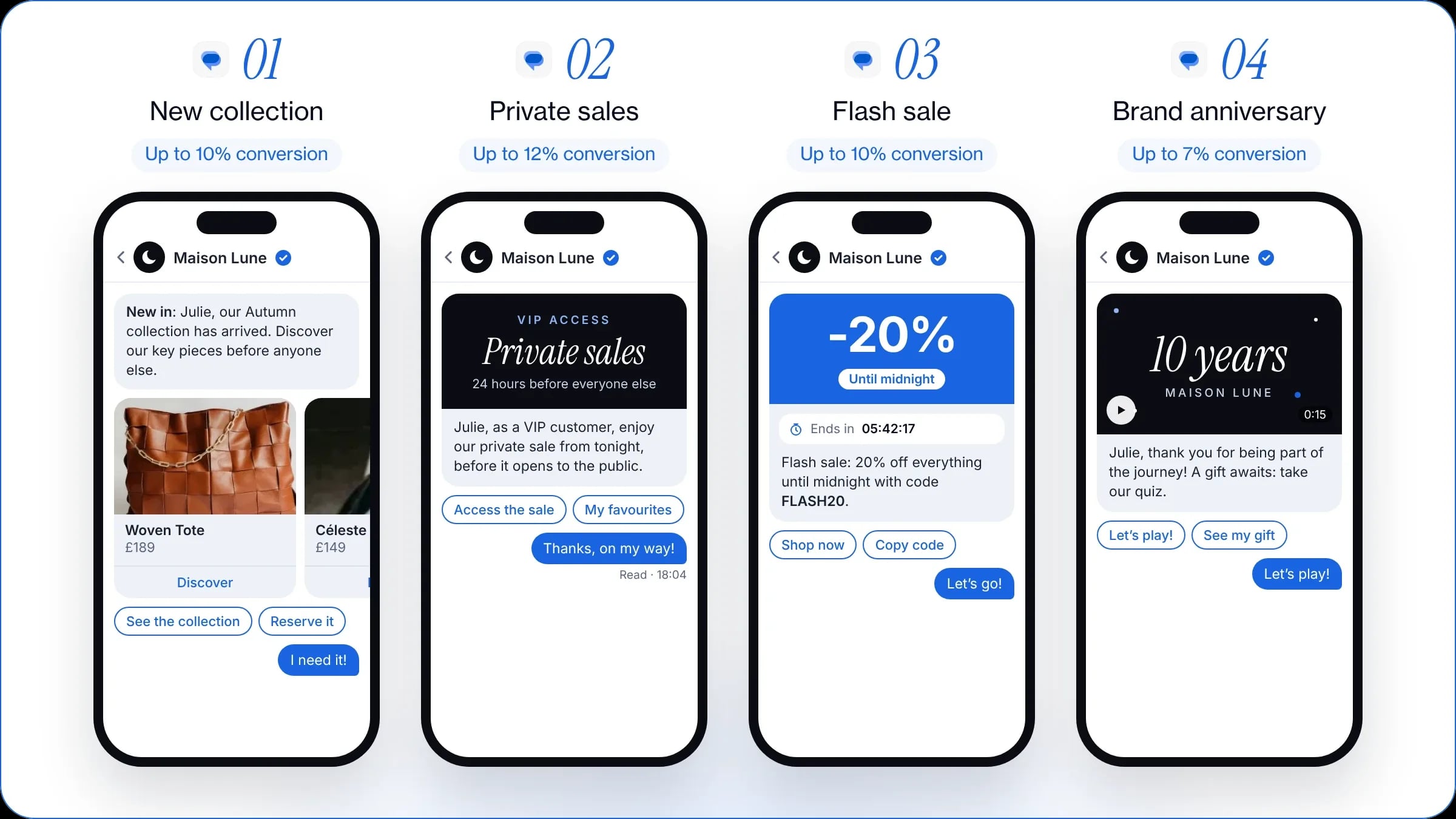
Choose an RCS campaign with an interactive carousel to showcase your best-sellers or a new collection. Customers dive into your brand’s world straight from their messaging app, and you simplify their path to purchase. On WAX, this type of campaign reaches conversion rates of up to 10%.
Reward your most loyal customers with an early-access offer or an exclusive RCS campaign. Your recipients feel privileged, which strengthens their engagement while naturally boosting their purchase intent. Brands typically see conversion rates of up to 12% with this approach.
An RCS campaign is ideal for announcing a short-lived sale and creating a sense of urgency. Pair action buttons with a time-limited offer to grab your customers’ attention as soon as the message arrives and boost your sales. On the WAX platform, these flash sales convert at up to 10%.
For your company’s anniversary, send a message with a video or a festive visual to thank your customers. Pair this gesture with an exclusive reward or a fun quiz using quick reply buttons. This approach humanises your communication, strengthens attachment to your brand and generates conversion rates of up to 7% on average.
To send your RCS marketing campaigns, choose an intuitive, user-friendly platform. Your tool should let you design rich messages in a few clicks, without any technical skills.
A test feature is also essential to protect the user experience: make sure your teams can preview exactly how your campaign looks on a smartphone before scheduling the final send.
To be fully effective, your solution should integrate directly with your e-commerce tools (Shopify, PrestaShop), marketing tools (Klaviyo, Yotpo, Splio, Adobe, Salesforce, Attentive, Batch, etc.) and support tools (Gorgias, Zendesk).
This sync simplifies retrieving contact data, makes customer segmentation easier and makes conversion tracking more reliable.
To make sure every message gets through, choose a tool with automatic SMS fallback, the key to maximum deliverability. Also consider running campaigns on WhatsApp, a preferred channel for talking with your most loyal and engaged customers.
Bringing all these levers together in a single interface simplifies your day-to-day management. It also lets you compare each channel’s performance to refine your mobile communication strategy.
Prior consent from the recipient is required for any marketing message, in line with GDPR requirements. However, your existing SMS opt-ins can be used directly for your RCS campaigns, without asking your customers to opt in again.
Verification of your brand identity by Google and the mobile operators usually takes between a few days and two weeks. With WAX, a specialist tool, all the technical steps are handled for you so your certified profile is live in less than a week.
Since 2024, RCS has been supported on iPhones running iOS 18 or later. For incompatible or offline devices, automatic fallback instantly switches your message to SMS to guarantee full deliverability.
The price depends on the type of message sent (plain text, rich format or a conversation with the customer) and the agreements negotiated with mobile operators. While the unit cost is usually higher than traditional SMS, it delivers a much higher return on investment.
RCS marketing turns SMS into a conversation: rich formats, a verified profile and use cases to boost your ROI.
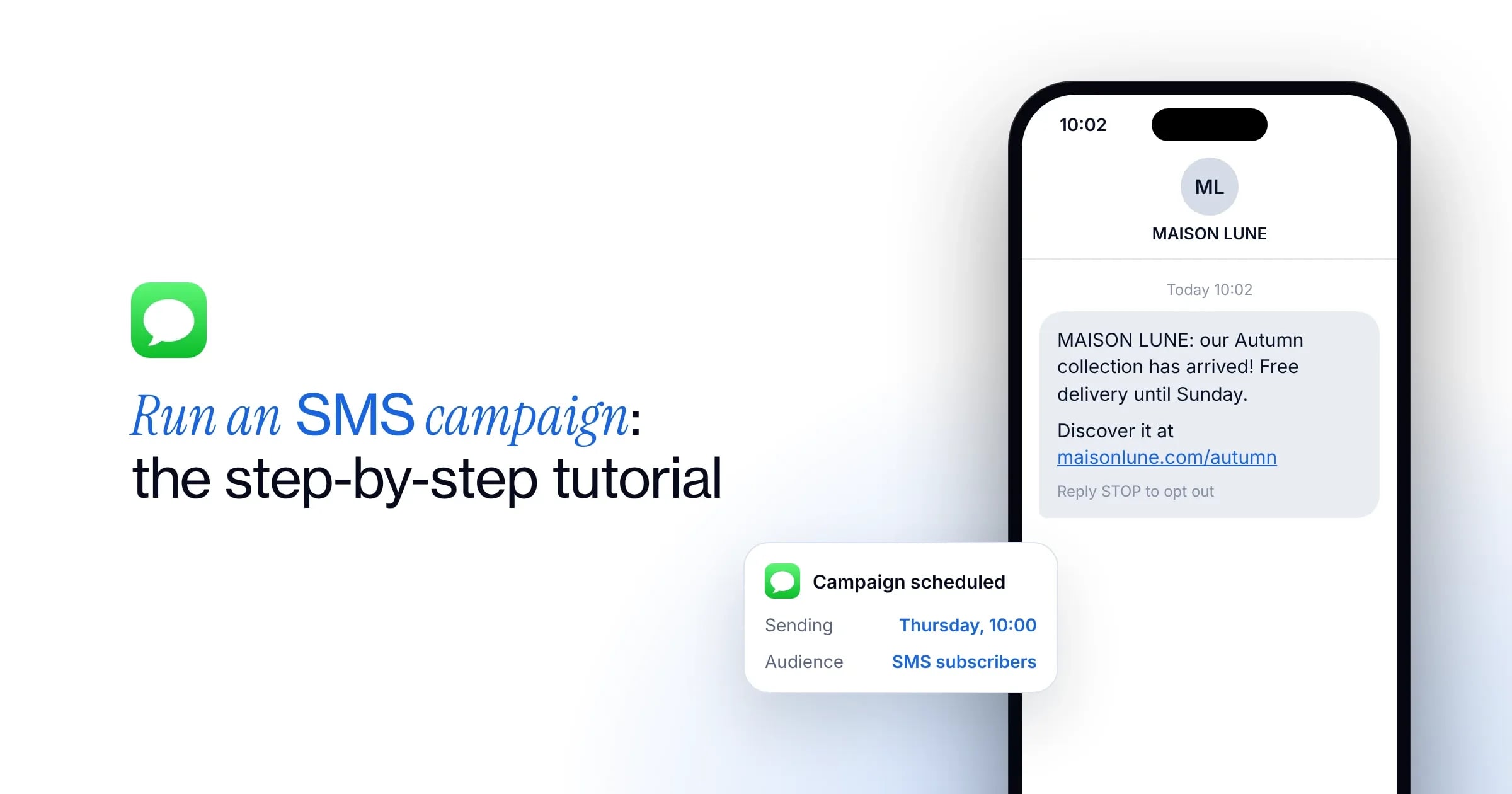
Create, test and send your SMS campaign: every step to follow to maximise your conversions.
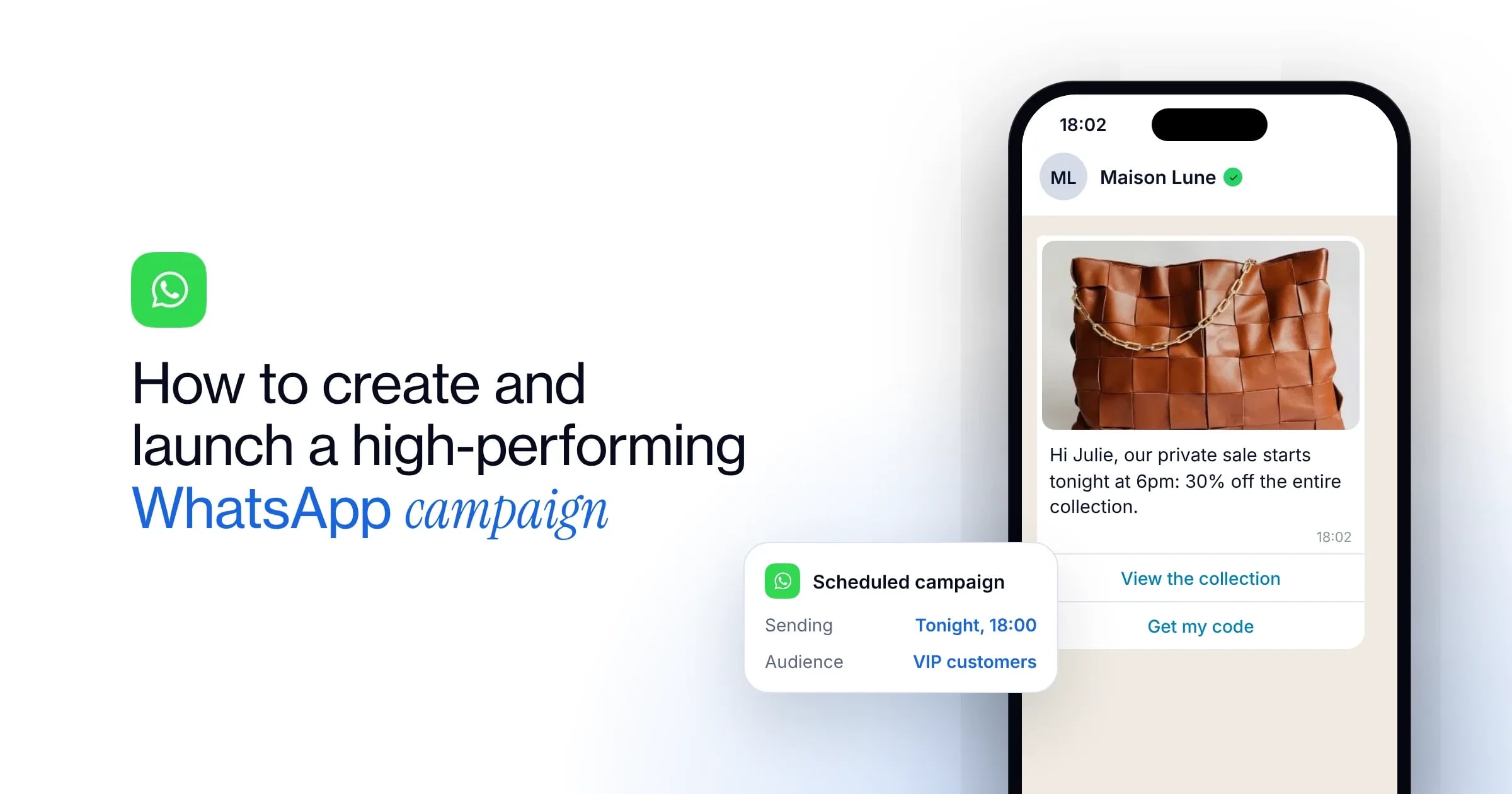
The 7 steps to launch a WhatsApp campaign, our best practices and 5 examples to engage your customers and sell more with WAX.
WAX is a conversational CRM for commerce that helps brands engage, convert, retain and support customers across WhatsApp, RCS and SMS. It connects customer, product and order data to personalised conversations, campaigns, automation and AI.
Traditional chatbots primarily answer customer questions. WAX combines customer data, campaigns, automation, commerce and AI across the customer journey to help brands engage customers, drive purchases, build retention and provide customer support.
WAX includes visual tools for building campaigns and automations without coding. Some integrations may call for technical input during setup.
Most brands launch WAX within two to three weeks, including channel verification and initial setup. Timelines depend on the channels, integrations and use cases required.
WAX supports WhatsApp, RCS and SMS from one conversational CRM, allowing brands to manage customer conversations across multiple messaging channels.
Yes. WAX AI can transfer a customer conversation to a human agent with the conversation context, allowing the customer service team to continue the interaction without starting again.
WAX integrates with leading platforms including Shopify, WooCommerce, Salesforce, Klaviyo, Attentive, Zendesk and Gorgias. WAX also supports API integrations and webhooks, allowing brands to connect custom and proprietary systems. These integrations bring customer, product and order data into conversations across WhatsApp, RCS and SMS.
WAX tracks metrics including opt-ins, engagement, conversion and attributed revenue, helping brands measure the performance of campaigns across WhatsApp, RCS and SMS.