Where should your WhatsApp customer support automation start?
Answer 4 questions to find your starting point
Question 1 of 425%
How do you handle your WhatsApp messages today?
Instant messaging channels such as WhatsApp generate a continuous stream of messages, and every customer expects a reply within minutes. Your team can quickly feel overwhelmed by all the requests to handle.
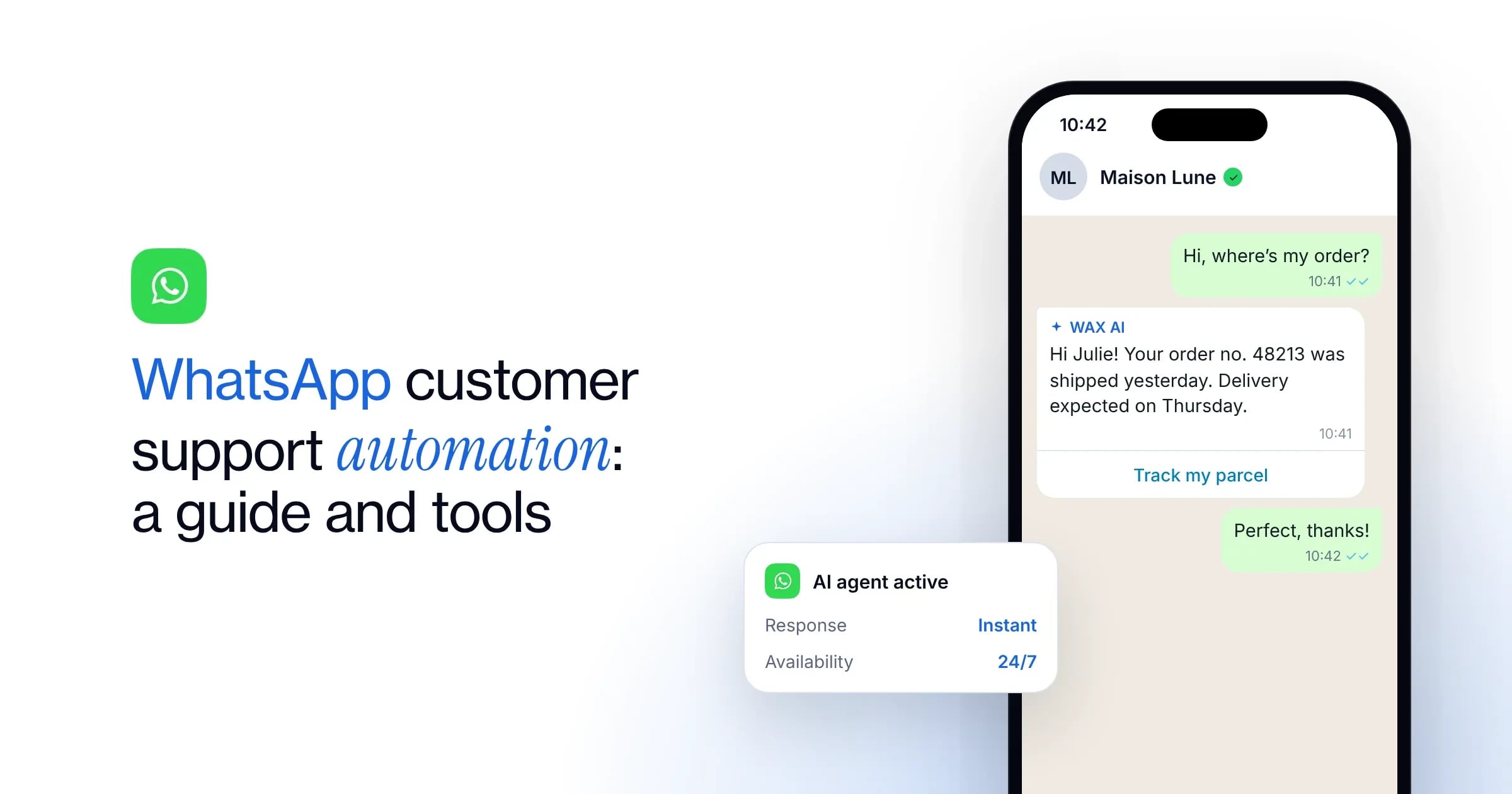
WhatsApp customer support automation is the answer. An intelligent conversational agent replies to your customers instantly, while smoothing the handover to your advisers whenever a human needs to step in.
How it works, the use cases to automate first, how to measure results and how to choose your tool: follow our complete guide to become more responsive and improve your customer relationships without adding to your support team’s workload.
According to a Meta study of 11,056 consumers worldwide
72.4%are more likely to buy from a brand they can contact by message
74.6%trust a business more when they can message it
73.3%prefer to communicate with a business by message
67.7%agree that getting a reply from an AI chatbot is helpful
What are the limits of customer support without automation?
The limits of manual customer support
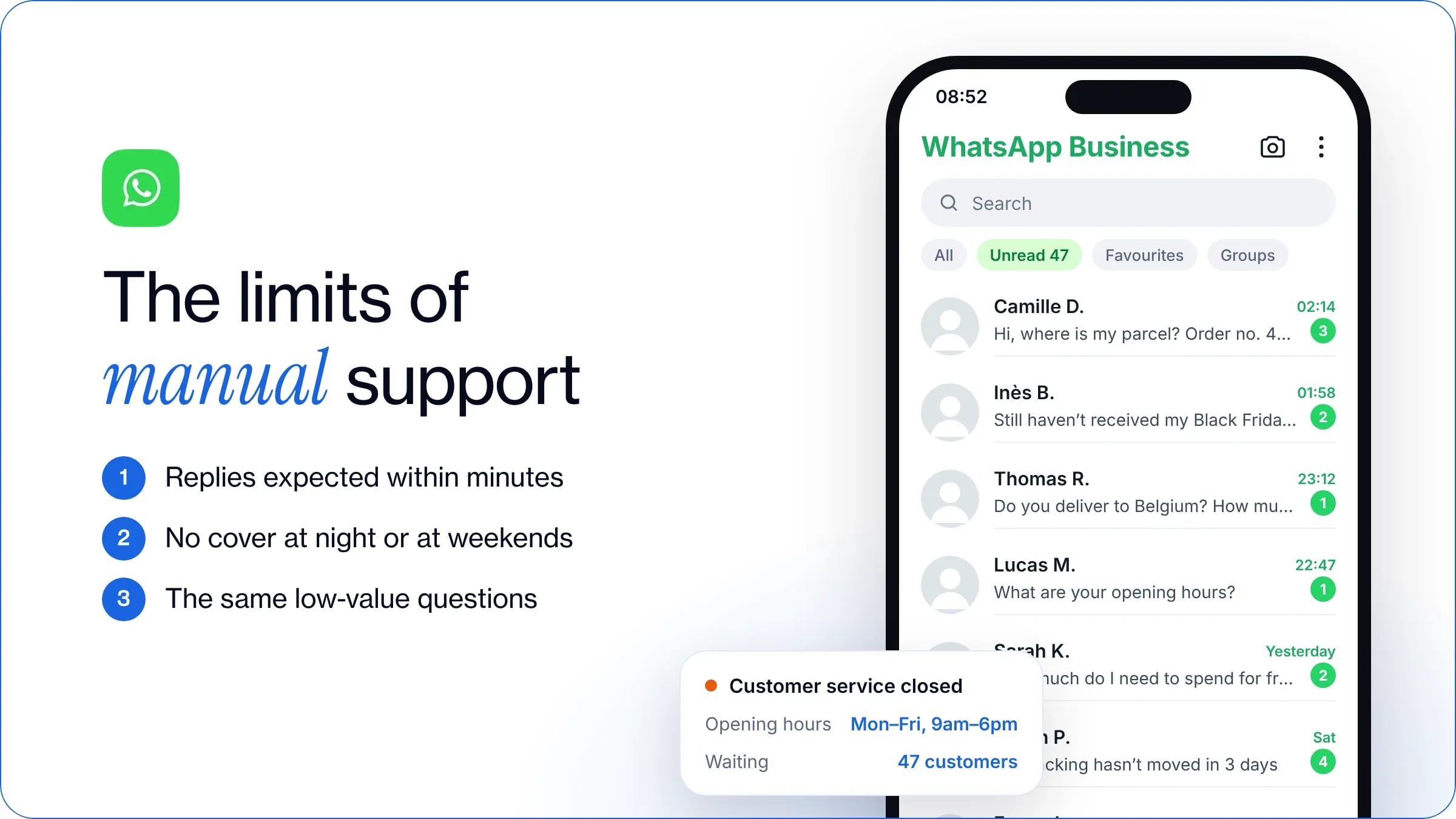
Handling your messages entirely by hand quickly holds back your customer support on WhatsApp. On this instant messaging app, messages are read within 7 minutes on average, so customers expect an equally fast reply, not one within 24 to 48 hours as with email. It becomes hard for your team to handle every request, especially during your peak periods (Black Friday, the festive season, a product launch).
Opening hours are another major day-to-day constraint. Without automation, your support team cannot be there around the clock, at night or at weekends, leaving customers who write outside office hours without an immediate reply.
Finally, manual handling means answering the same low-value information requests over and over. Writing the same replies to recurring questions (“Where’s my parcel?”, “What are your opening hours?”) leaves your advisers short of time to help customers with more important requests.
The limits of chatbots
Faced with the limits of manual support, it can be tempting to set up a chatbot. While this approach is handy for routing very simple requests or sending a first automatic reply, it soon shows limits of its own.
A traditional chatbot makes customers navigate predefined decision trees, which creates dead ends as soon as a question falls outside the planned sequence or combines several requests. Maintenance quickly becomes a heavy burden for your team, because every change to your returns policy, every new product or promotion means editing your sequences.
Unable to adapt to the context of the conversation, a simple bot often just sends generic links to a static FAQ, without giving personalised information or actually solving the problem. This rigidity soon creates a frustrating customer experience. Misunderstanding loops (“Sorry, I didn’t understand your request”) annoy users, damage your brand image and end up triggering an adviser’s intervention that could have been avoided.
At WAX, we recommend automation that is 100% powered by artificial intelligence, rather than chatbots with rigid scripts.
What are the benefits of WhatsApp customer support automation?
The benefits described here rely on deploying a true agent, 100% powered by artificial intelligence: an approach that reinvents the customer experience on WhatsApp.
Instant availability, 24/7
Automating customer support on WhatsApp relies on deploying a conversational agent connected to the WhatsApp Business API. In practice, this lets you receive incoming messages, analyse each customer’s intent and resolve their requests in real time, without an adviser having to step in every time. Your business can therefore guarantee round-the-clock service, 24/7.
Natural language understanding
Artificial intelligence is transforming customer relationships on WhatsApp: thanks to a fine understanding of natural language, an AI agent works out the real intent behind each message. It also understands informal language and voice messages, and adapts naturally to conversations in several languages. Finally, it remembers the whole exchange so it can follow the overall context of the conversation, rather than treating each message in isolation.
Autonomous resolution
AI opens the way to end-to-end resolution of requests. Connected to your CRM and your e-commerce platform through a native integration, the assistant no longer just sends a link to a help page. It fetches the customer’s personal information and carries out the required action on its own.
For example, when a customer asks where their delivery is, the AI agent queries your Shopify store directly and instantly sends them their tracking link.
Which requests can you automate on WhatsApp?
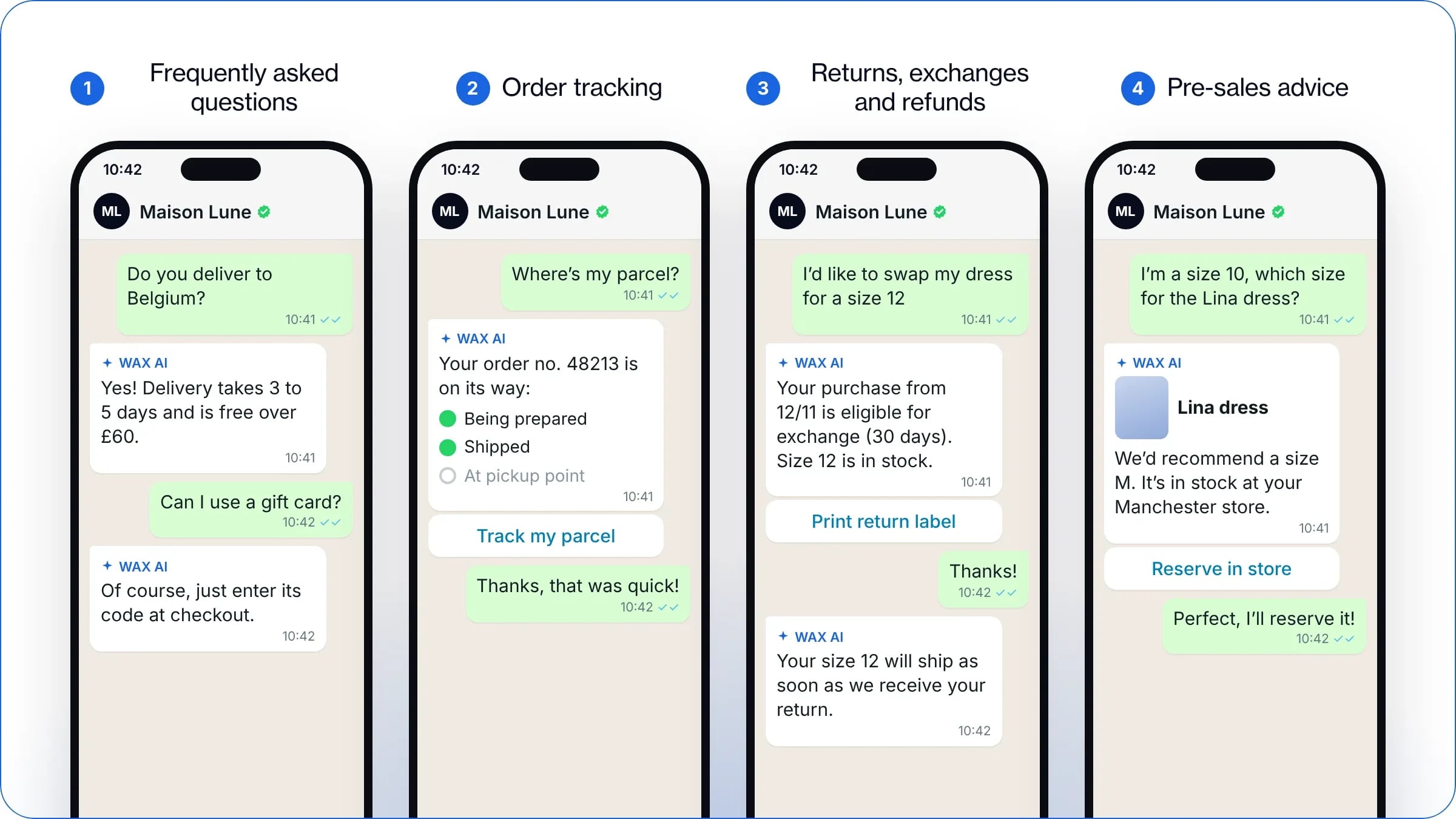
Instant answers to frequently asked questions (FAQs)
WhatsApp customer support automation lets you handle all recurring requests immediately, without involving your advisers:
Logistics and practical questions: your AI agent instantly shares useful information on delivery times and costs, shipping areas, opening hours and your store addresses.
Commercial information: the assistant gives precise answers on accepted payment methods, the terms of use of gift cards or a promo code, and your warranty policies.
Both the customer and your team benefit: you remove waiting times with an immediate reply, 24/7, while freeing your support team from these very low-value tasks.
Order tracking
“Where’s my parcel?” often accounts for a large share of the requests your customer support receives, generally 40 to 60% according to ShippyPro. By connecting your AI agent to your CMS, such as Shopify or PrestaShop, it can identify the customer’s order within seconds and share all the useful information right in the conversation: precise status (being prepared, shipped, available at the pick-up point), tracking number, tracking link.
Handling returns, exchanges and refunds
WhatsApp customer support automation simplifies returns while reassuring your customers every step of the way:
Eligibility check: as soon as the message arrives, your AI agent automatically checks the product’s purchase date and that the withdrawal period is respected before approving the request.
Exchange or return procedure: the assistant guides the customer step by step through the conversation and sends them the practical information and return instructions.
Case follow-up: thanks to the integration with your logistics tools, your customer support gives instant answers on the receipt of the parcel or the progress of the refund.
Pre-sales advice
On WhatsApp, you can deploy a range of campaigns and automations, such as a welcome message, an abandoned basket reminder or a new collection announcement. These interactions naturally raise questions before purchase: connected to your tools and configured by you, the AI then takes over like a real in-store adviser.
Your AI agent can make tailored recommendations on choosing a size or a fit, or on a product’s technical features. It also instantly checks whether an item is available online or in the store closest to the customer.
What’s more, the conversational nature of WhatsApp creates a direct, reassuring dialogue, ideal for guiding the customer to their final decision. By bringing precise reassurance in every message, your AI assistant removes the last barriers to purchase: a closeness that turns your conversations into a real WhatsApp marketing lever to boost your conversions.
What happens when the AI doesn’t know the answer?
When it doesn’t have the answer, your AI never leaves the customer stuck: it automatically escalates the request to your team. The handover can go straight into your helpdesk or to an email address, so a human adviser can take over.
What triggers the handover to a human adviser?
Effective automation on WhatsApp relies on your AI agent’s ability to pass the request to a human adviser when needed. As soon as a customer makes a complex request, or one that isn’t covered in your knowledge base, the assistant doesn’t make up an answer and calls in an adviser. The handover also kicks in if the user explicitly says they want to speak to a member of your team.
Beyond technical dead ends, the AI continuously analyses the sentiment and vocabulary used in messages to spot any sign of urgency, frustration or annoyance. You can therefore transfer the conversation to your human support team if a customer shows dissatisfaction.
Finally, you can set precise rules to automatically route sensitive or high-stakes cases, such as your VIP customers or very high basket values, to an adviser. That way, you protect the quality of your customer relationships.
How do your advisers pick up the conversation from your tools?
Thanks to a native integration with your support software, you receive the ticket directly in your WAX inbox, by email or in your usual tool, such as Gorgias, Zendesk or Crisp. Your adviser can then see the full history of the messages exchanged on WhatsApp, along with the information the assistant has already collected, so the customer doesn’t have to repeat their request.
With WAX, your adviser can then reply directly from your support tool. Once the problem is solved and the adviser has closed the ticket, the AI agent takes over again. It can send a follow-up message to measure customer satisfaction, or stay available to handle their next requests.
Why is human support still essential?
WhatsApp customer support automation can efficiently handle up to 80% of requests. Even so, your team’s intervention remains essential in complex situations. For example, only a human adviser can handle exceptions case by case and grant a tailored goodwill gesture.
Likewise, when a customer is unhappy or a request is high-value, an adviser’s human reply builds trust in your brand and improves the customer relationship.
How do you automate customer support on WhatsApp?
Step 1: Connect your entire tech ecosystem
To launch your customer support automation, the first step is to connect your WhatsApp Business account to your support tools, your CRM and your e-commerce CMS. This is essential so your future AI agent can access the right information in real time and centralise every message exchanged.
WAX simplifies this set-up with a native integration of all your tools in a single interface:
E-commerce ecosystem: Shopify, PrestaShop.
Marketing tools: Klaviyo, Yotpo, Splio, Adobe, Salesforce, Attentive, Batch, etc.
Support tools: Gorgias, Zendesk, Crisp.
Step 2: Structure your knowledge base
Before deploying your AI agent on WhatsApp, analyse your ticket history to identify the most frequent reasons for contact. This helps your team spot the recurring questions that generate the most volume and target the requests to automate first.
Next, clean up and centralise all the sources that will feed your assistant. Take the time to update your FAQ, your delivery and refund policies and your product pages. To make it as effective as possible, you need to give your AI a reliable knowledge base, with no outdated or contradictory information. This step is essential to give every customer precise, consistent answers.
Step 3: Personalise your agent to match your brand identity
So that automation doesn’t make conversations feel impersonal, align your AI agent with your brand identity. Set its writing style precisely: formal or informal address, use of emojis and level of formality. This personalisation is essential to stay fully consistent with your other communication channels and to strengthen your customer relationships.
Step 4: Configure the AI agent
Next, set the business rules and scope of your AI agent on WhatsApp. Define precisely which tasks the assistant may carry out on its own (checking order status, creating a return label, applying a promo code). Then clearly define the cases that require an adviser.
You also need to tell the AI which information to collect from the customer before carrying out an action or giving an answer (order number, email address, photo of a damaged product). This lets your automated support give answers perfectly suited to each situation.
Step 5: Set the handover rules
Set your AI agent’s escalation thresholds precisely. On WAX, as soon as the assistant detects that a human needs to step in, or it cannot resolve a customer’s complex request, the conversation is automatically transferred to an adviser. You can choose a handover to your support tool or by email.
The message history then appears in your helpdesk and the AI automatically pauses for a duration you choose. You can also reactivate it manually at any time from your inbox.
You can also set up a transition message sent to the customer at the moment of handover. For example, you can tell them an adviser will take care of their request as soon as possible and remind them of your opening hours.
Step 6: Test and optimise
Finally, test the relevance of the answers your AI agent generates. Give your assistant ambiguous wording, typos and edge cases to see how it handles complex customer requests. On WAX, your team has a dedicated test environment to simulate real conversations and fine-tune the AI’s behaviour before it goes live.
Once your automation is live, regularly analyse the conversations that needed an adviser, or any sticking points, to quickly spot missing information. You can then enrich the AI’s knowledge base with the new questions each customer asks. On WAX, you receive a monthly report to guide you in optimising your AI agent’s configuration.
What are the best practices for automating customer support?
Adopt WhatsApp’s conversational codes
Favour airy messages with short paragraphs of two to three lines at most, perfectly suited to quick reading on a smartphone. Also make the most of the interactive elements offered by the WhatsApp Business API, such as action buttons and clickable links (for example to track a parcel). This creates a smooth experience for the customer.
WAX is a specialised tool that automatically follows WhatsApp’s codes. Our AI can reply with short, punchy messages, and also offer carousels, limited-time offers and more.
Keep the knowledge base up to date
To guarantee relevant answers, keep your knowledge base in step with your commercial calendar: update your information before every peak period (sales, Black Friday, a new collection launch). At the same time, make a habit of analysing the messages that often need your customer support team to build your AI agent’s skills.
Be transparent and keep human handover within reach
To protect the customer relationship, be transparent about the use of AI. We recommend configuring your agent to introduce itself clearly as a virtual assistant, and to confirm it plainly if a customer asks. This does nothing to harm your brand image: the customer’s priority is still a quick answer, whether it comes from an adviser or an AI.
This approach also directly meets the requirements of the EU AI Act, which also requires that users can reach a human adviser at any time if they wish.
What are the limits of customer support automation?
Handling complex situations
Even with excellent automation, an AI agent reaches its limits with complex disputes. For example, requests about a lost parcel, a faulty product out of warranty or a sensitive complaint call for in-depth analysis and the direct involvement of a member of your support team.
Likewise, commercial negotiation is beyond a virtual assistant’s decision-making powers. While your AI rigorously applies the predefined business rules to shape its answers, it cannot decide on its own to grant an exceptional goodwill gesture or a tailored exception.
Direct dependence on the quality of your data
Your AI agent’s reliability depends directly on the quality of the data it relies on. If your FAQs, returns policies or product pages contain outdated or contradictory information, the assistant will inevitably lack precision and may give your customers wrong answers.
What’s more, without a direct connection to your CMS, your automation is limited to generic answers. Unable to access an order’s real status to handle personalised requests, your support then loses much of its added value for the customer.
The risk of impersonal conversations if set up poorly
Personalising your messages is essential on WhatsApp, including the answers your AI agent writes. For example, copying and pasting a long text originally written for an email, or sending generic answers disconnected from your brand identity, can weaken the customer relationship.
How do you measure the effectiveness of WhatsApp customer support automation?
Assess the AI’s autonomy
To manage your WhatsApp customer support automation effectively, the first metric to track is the AI resolution rate, which measures the share of conversations handled end to end by your agent without an adviser. It is calculated directly from the escalation rate, that is, the share of requests transferred to your support team.
Track responsiveness and customer satisfaction
Deploying an AI agent on WhatsApp drastically cuts your response times. To check whether this improves their experience, you can automatically send a message at the end of the conversation inviting the user to rate the exchange. This way, you make sure your automation’s speed always goes hand in hand with quality of service.
Measure ROI and cost savings
To assess the profitability of your WhatsApp customer support automation, calculate the average cost of a ticket resolved by your AI agent and compare it with that of manual handling by your support team.
If your assistant also helps customers during the pre-sales phase, your ROI calculation should also include the additional sales and conversion rate generated directly by the AI.
On WAX, these metrics are calculated automatically and available right in your dashboard.
How do you choose a tool to automate customer support on WhatsApp?
Native integrations with your ecosystem
To deliver personalised, responsive customer support, the solution must fit naturally into your existing tech environment. Choose a platform like WAX that offers a native integration with your helpdesk, your e-commerce CMS and your CRM. That way, the AI agent has real-time access to every customer’s data.
Feeding and updating the knowledge base
Your assistant’s performance depends on how easily you can load your internal documents (FAQs, terms and conditions, product pages or PDF guides). Choose a tool that lets you import your files easily, and also sync your content by automatically scraping your website’s URLs to keep the AI up to date without retyping anything.
Also make sure the solution guarantees that the AI relies exclusively on your validated official sources, to avoid any hallucination.
A smooth human handover
Your tool must offer a simple handover to your team when an adviser needs to step in. Check that the platform offers multi-agent management so your team can easily pick up conversations, along with the full history of messages exchanged to respond faster.
Compliance and data security
Finally, your automation solution must meet the strictest requirements for data protection and regulation. Make sure the tool guarantees full compliance with the GDPR, secure encryption of the messages exchanged, and full compliance with Meta’s official policies and those of the WhatsApp Business API.
FAQ
To maximise the impact of your WhatsApp customer support automation quickly, we recommend targeting recurring, high-volume, low-value requests first: order tracking, questions about delivery times and costs, payment or return terms, product availability and so on. Your AI agent then frees up valuable time for your support team.
Thanks to native integrations with your CMS and your support tool, WhatsApp customer support automation takes just 2 hours on WAX. We scrape your website’s URLs to offer you a first version of your agent’s configuration. All you have to do is test it and adjust it if needed.
To protect the quality of your customer relationships, choose an AI agent natively integrated with your ecosystem, able to understand the context of every message. Also choose a tool that makes it easy to feed and update your AI’s knowledge base, and to transfer complex or sensitive requests to a human adviser. Finally, choose a tool that is strict on compliance and data security.
With WAX, your WhatsApp Business account is connected to your existing support software. When a human needs to step in, the ticket automatically appears in your WAX inbox and in your usual tool. Your advisers then have the full history of the messages exchanged on WhatsApp, so they can give quick, contextual answers without juggling several interfaces.
Since January 2026, Meta has banned general-purpose chatbots and AI assistants open to any topic on the WhatsApp Business API. Only AI agents strictly dedicated to customer support and the company’s business processes are allowed (FAQs, order tracking, after-sales service or appointment booking). You therefore cannot set up your AI to answer every question in the absolute. The platform policies also require you to always offer a clear escalation path to a human adviser if the customer asks for one.
WAX is a conversational CRM for commerce that helps brands engage, convert, retain and support customers across WhatsApp, RCS and SMS. It connects customer, product and order data to personalised conversations, campaigns, automation and AI.
Traditional chatbots primarily answer customer questions. WAX combines customer data, campaigns, automation, commerce and AI across the customer journey to help brands engage customers, drive purchases, build retention and provide customer support.
WAX includes visual tools for building campaigns and automations without coding. Some integrations may call for technical input during setup.
Most brands launch WAX within two to three weeks, including channel verification and initial setup. Timelines depend on the channels, integrations and use cases required.
WAX supports WhatsApp, RCS and SMS from one conversational CRM, allowing brands to manage customer conversations across multiple messaging channels.
Yes. WAX AI can transfer a customer conversation to a human agent with the conversation context, allowing the customer service team to continue the interaction without starting again.
WAX integrates with leading platforms including Shopify, WooCommerce, Salesforce, Klaviyo, Attentive, Zendesk and Gorgias. WAX also supports API integrations and webhooks, allowing brands to connect custom and proprietary systems. These integrations bring customer, product and order data into conversations across WhatsApp, RCS and SMS.
WAX tracks metrics including opt-ins, engagement, conversion and attributed revenue, helping brands measure the performance of campaigns across WhatsApp, RCS and SMS.