Answer 4 questions to find the use case that suits you
Question 1 of 425%
Your top priority?
With an open rate above 90% and messages read within 7 minutes on average, WhatsApp is redefining the customer relationship. On this instant messaging app, consumers expect smooth conversations and quick replies: they write at any hour, in the evening as at the weekend, and expect an immediate answer.
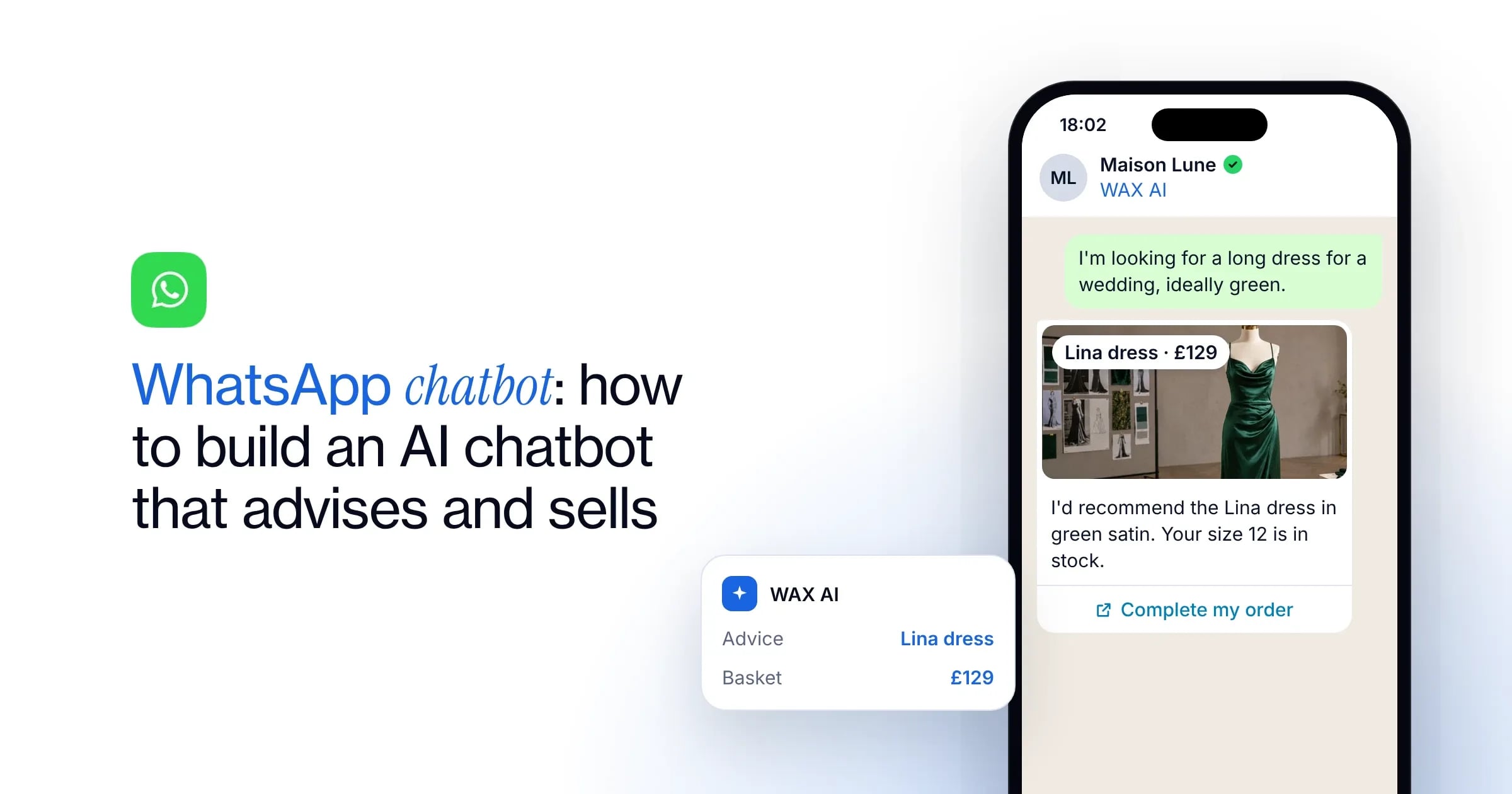
Deploying a WhatsApp chatbot lets you handle these requests instantly through automation, and also guide the shopper throughout their journey, right up to the sale.
In this complete guide, find out how to tell a scripted chatbot from a true AI agent, which use cases pay off most and which steps to follow to deploy your solution on WhatsApp Business.
What is a WhatsApp chatbot?
A WhatsApp chatbot is an automated program designed to talk with your users directly inside the app. This tool connects to the WhatsApp Business API through a dedicated platform, so you can centralise the messages you receive and send.
Today there are two types of bots:
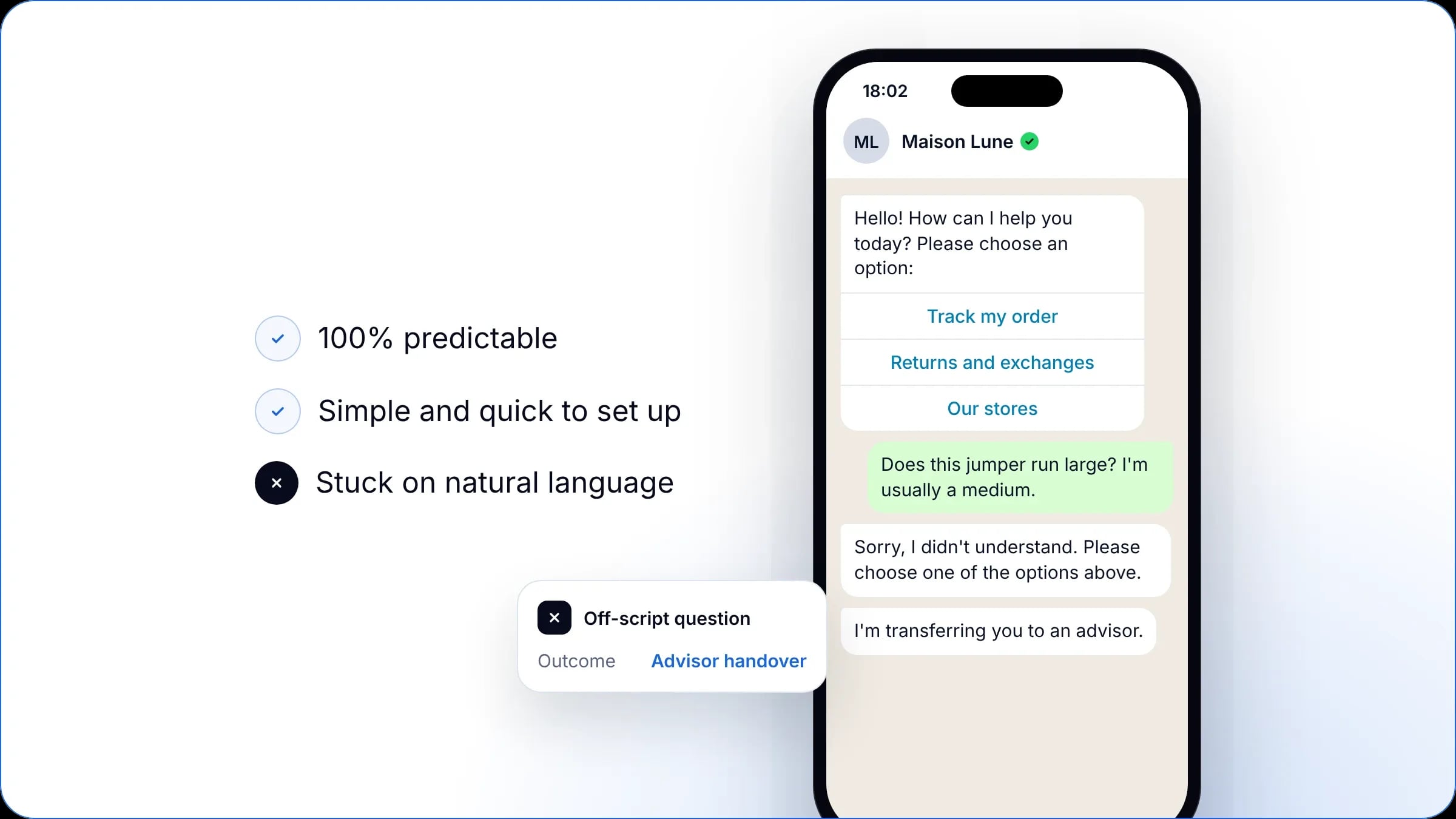
Models based on rigid scripts: decision trees where the customer taps predefined buttons.
The AI chatbot: able to understand the user’s natural language and write smooth, personalised answers.
Scripted chatbot or AI chatbot: what’s the difference?
There are several automation tools on WhatsApp, each meeting different needs. Find the one that best fits your business.
Scripted chatbot or AI chatbot: comparison
Criteria
Scripted chatbot
AI chatbot (AI agent)
How it works
Rigid decision trees based on keywords or predefined buttons.
Natural language processing combined with a real-time connection to your data and business tools (knowledge base, CRM, CMS) to understand, reason and act.
Strengths
Quick to set up for very simple journeys, and a fully predictable framework.
Understands complex intents, writes smooth, human answers, personalises advice and carries out concrete actions end to end.
Limits
Frustrating as soon as the customer leaves the planned script, leading to dead ends and frequent transfers to a human.
Needs a structured knowledge base, clear guardrails and native integrations with your e-commerce ecosystem.
Use cases
Basic qualification, collecting simple information or sharing opening hours.
Tailored pre-sales advice, product recommendations, abandoned cart recovery, live parcel tracking and autonomous after-sales handling.
The scripted chatbot: the classic decision tree
This first level relies on rigid scripts built around keywords or buttons to tap. Simple and quick to set up, it offers a 100% predictable framework but soon shows its limits: as soon as a customer asks an unexpected question in natural language, the conversation stalls and has to be transferred to a human adviser.
The AI chatbot (or AI agent): natural language understanding that takes action
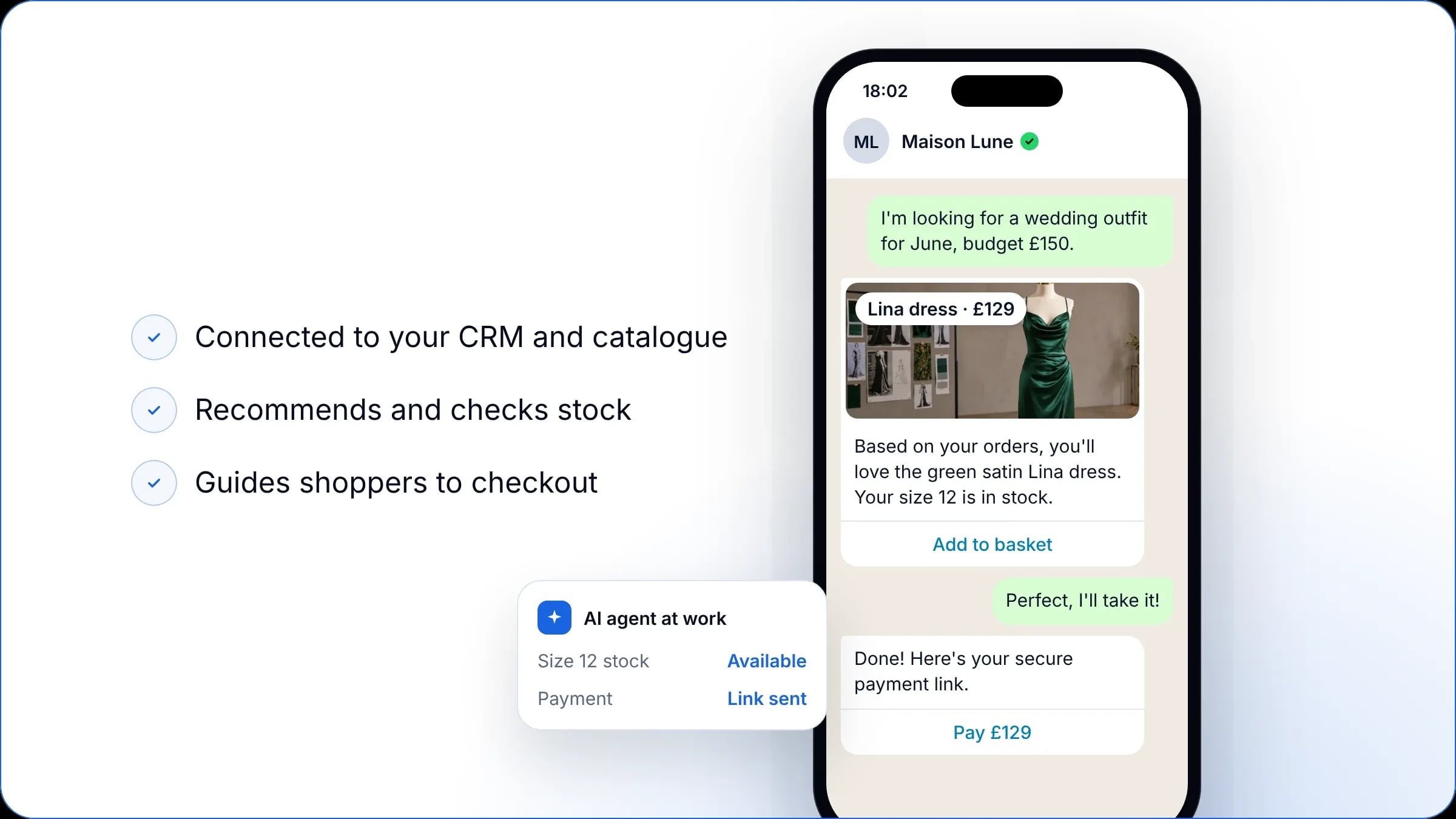
Powered by generative artificial intelligence, the AI chatbot analyses the intent behind each message and draws on your knowledge base (FAQs, product pages, terms and conditions) to write smooth, natural answers. Connected in real time to your CRM, your catalogue and your marketing tools, this AI agent acts on its own. It reasons, recommends the right items, checks stock live and carries out complex tasks to take the shopper all the way to checkout.
If you really want to boost your conversions, choose to deploy an AI agent, such as WAX AI. Able to guide, advise and reassure the customer at every stage of their journey, it turns every WhatsApp conversation into a real sales opportunity.
Why use a WhatsApp chatbot?
To make the most of WhatsApp’s conversational potential, the rest of this article focuses on deploying an AI chatbot, able to understand and hold a real conversation, rather than on classic models locked into rigid scripts.
Boost sales
The WhatsApp chatbot turns the conversation into a powerful conversion channel. It drastically reduces basket abandonment by instantly removing barriers to purchase, such as a doubt about the size, delivery costs or returns terms. It can also make personalised recommendations right in the chat to maximise the value of every order.
Be available 24/7
Whether a customer sends a message late in the evening, on a Sunday or on a bank holiday, your WhatsApp chatbot gives an immediate, relevant answer with no wait. This constant responsiveness lets you catch their attention when their purchase intent is at its highest, which maximises your chances of closing the sale and stops them leaving your site for a competitor.
Take the pressure off your customer support team
With this automation, you effortlessly handle most of the everyday, low-value requests (questions about opening hours, returns policies, delivery terms). Likewise, during your peak periods, such as the sales, Black Friday or the festive season, the WhatsApp chatbot absorbs the surge of messages. Your human agents save precious time to focus on more complex or sensitive cases.
What can a WhatsApp chatbot do?
Pre-sales advice
The WhatsApp chatbot recreates the experience of in-store service by offering every visitor a personalised conversation. It answers the precise questions of a customer who has already spotted an item (size, materials) and can also ask targeted questions about the intended use, budget or style they are looking for to pin down exactly what they want.
Based on this information, it writes tailored answers or sends the best product recommendations right in the conversation, with a direct link to guide the customer to the ideal item.
Abandoned cart recovery
You can automate your abandoned cart reminders with a flow that sends the customer a first reminder message. As soon as they reply, your WhatsApp chatbot takes over the conversation: it handles their objections about size, delivery or payment, and reassures them so they complete the order.
Customer support automation
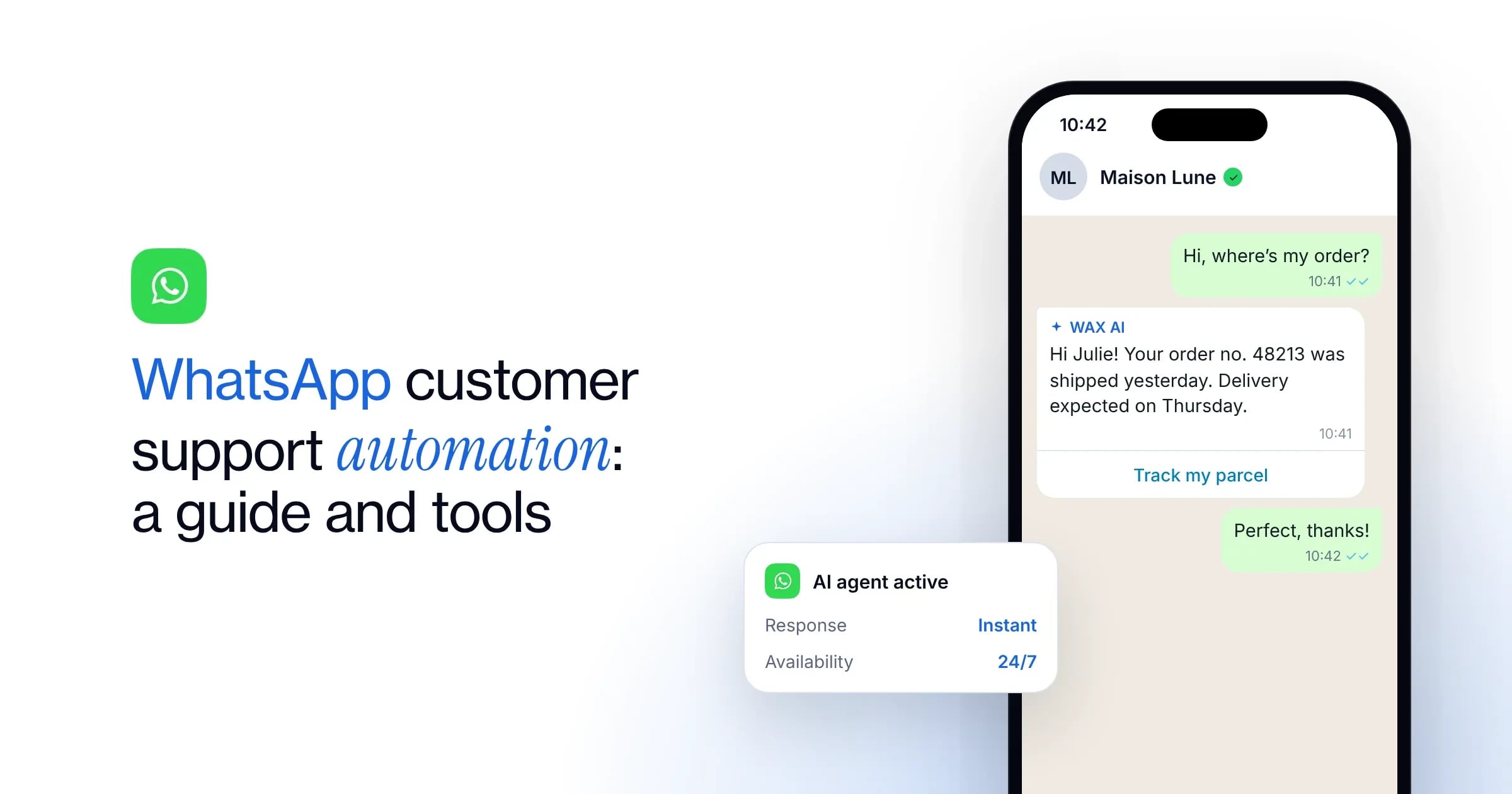
Deploying an AI chatbot is one way to automate customer service on WhatsApp. Day to day, your assistant handles recurring requests by giving instant, precise answers about your returns policy, delivery times or payment terms. Drawing directly on your database, it provides responsive after-sales service without tying up your human advisers.
How to build a WhatsApp AI chatbot, step by step
Step 1: Check the technical prerequisites
Before you start the set-up, make sure you have an active Meta Business Manager account and a dedicated phone number, which will be connected to the WhatsApp Business API from your conversational platform. Note too that official verification of your business by Meta is still essential to unlock the verified badge and lift the initial sending limits. Read our complete guide to WhatsApp marketing to explore these prerequisites in detail.
Step 2: Connect your whole ecosystem
Next, connect your platform to your e-commerce, marketing and support tools. This sync is essential to centralise your conversations and let your chatbot access customer data, stock levels or order history in real time.
On WAX, you connect natively in a few clicks from a single interface:
CMS (Shopify, PrestaShop): to sync your product catalogue and your orders.
Marketing (Klaviyo, Yotpo, Splio, Adobe, Salesforce, Attentive, Batch): to personalise conversations according to the customer’s profile.
Customer support (Gorgias, Zendesk, Crisp): to make the handover to your human advisers seamless.
Step 3: Build your knowledge base
An AI chatbot’s relevance depends directly on the quality of the data you give it. Import and centralise all your documentation in your tool: your website’s pages, FAQs, detailed product pages and terms and conditions of sale. This step is essential for your assistant to give accurate, consistent answers.
To spare you any manual input, WAX automates this step: the tool scrapes your website’s URLs directly and uses the data from your integrations to generate a first working knowledge base with no effort on your part. All you have to do is review it and enrich it if needed.
Step 4: Set the chatbot’s tone and identity
To offer an experience consistent with your brand image, define your WhatsApp chatbot’s editorial personality precisely. Choose between a formal and an informal tone, set rules for emoji use and specify the expected register so that every message sent reflects your identity and builds a natural closeness with your customers.
Step 5: Set the AI’s guardrails and limits
To avoid any drift or hallucination, you must set strict rules on what the artificial intelligence is not allowed to say, make up or promise, such as granting unauthorised discounts or contractual commitments. It is also essential to restrict its scope strictly to your brand to prevent any off-topic answer, in line with Meta’s requirements.
On WAX, every brand gives its AI agent its own voice and chooses the tasks it entrusts to it: presenting an offer, advising on a product, offering an in-store appointment or preparing a basket. This is the case, for example, for our customers Clarins, Lunettes Pour Tous, Maison Berger Paris and Petite Mendigote.
Step 6: Set up the handover to a human adviser
An effective WhatsApp chatbot must know when to hand over so it never leaves the user stuck. Set clear escalation rules, with the conversation automatically transferred to a human agent as soon as the AI doesn’t have the requested information, detects dissatisfaction or the customer explicitly asks to speak to your team.
Step 7: Test, deploy and enrich the answers
Before deploying your WhatsApp chatbot, run a test phase in real conditions, giving it varied scenarios and trick questions to check how accurately it responds. Once the solution is live, regularly analyse conversations to spot unanswered questions and keep enriching your documentation.
How to measure your WhatsApp chatbot’s effectiveness
Measure the impact on sales
To assess your WhatsApp chatbot’s direct profitability, track two key sales metrics first: the conversion rate, which measures the share of conversations that actually lead to a purchase, and the change in average order value. By comparing what customers helped by the bot spend with what regular shoppers browsing your site alone spend, you can precisely quantify the added value of conversational advice throughout the buying journey.
Assess the chatbot’s autonomy
The chatbot’s resolution rate shows the percentage of conversations handled end to end by your assistant, without any intervention from your support team. This metric is calculated directly from the escalation rate, meaning the share of conversations that needed a transfer to a human agent. Analysing these transfers also lets you immediately spot the recurring topics where your bot still lacks information, so you can complete its knowledge base.
Track the quality of the customer experience
Automation must never come at the expense of customer satisfaction. Measure how your service is perceived by automatically sending a short survey (such as a rating out of 5) at the end of each resolved conversation. This feedback confirms that the chatbot’s answers are clear, relevant and up to your customers’ expectations.
Mistakes to avoid when deploying a WhatsApp chatbot
Trapping the user in a dead-end loop
This is the most common automation trap: forcing the customer to go round in circles with a bot that doesn’t understand their request, with no way out. This “prison” effect creates immediate frustration and damages your company’s image. Always make sure a clear option to transfer to a human agent is available, so complex requests are resolved quickly.
Launching a poorly fed or untested AI
Switching on your assistant without having structured or checked your information base exposes your brand to the risk of hallucinations: the chatbot may then make up a fictitious returns policy, promise a discount that doesn’t exist or confirm that an out-of-stock product is available. Before deployment, carefully check the quality of your documentation and run plenty of tests to make every answer reliable.
Passing the chatbot off as a human
Trying to hide that your assistant is automated is counterproductive and risky. Transparency immediately builds trust with your customers and avoids disappointment if the AI reaches its limits. What’s more, Meta now requires you to state clearly from the first message that the user is talking to artificial intelligence, while guaranteeing easy access to a human adviser.
Ignoring opt-in rules and Meta’s policy
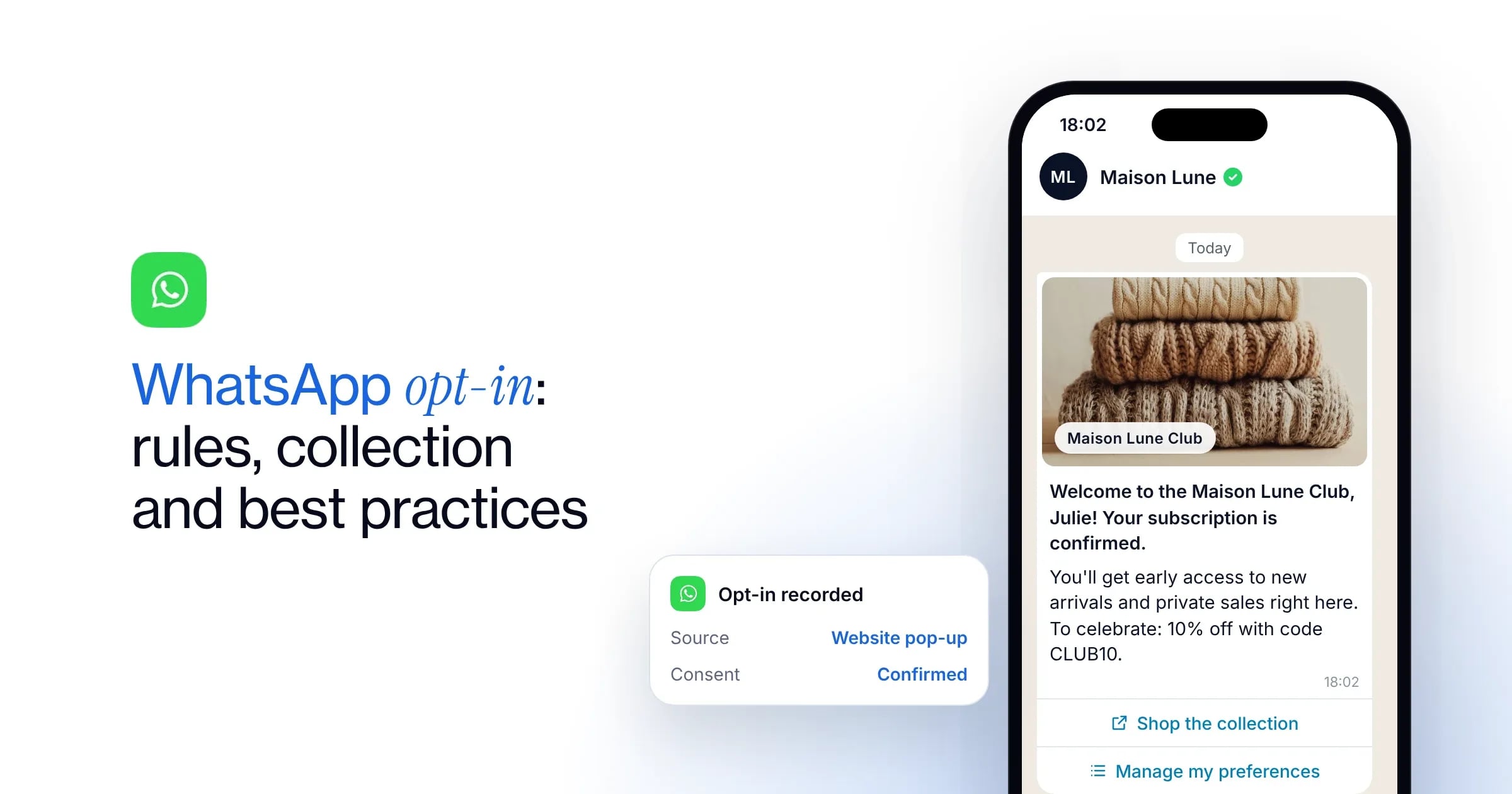
Sending promotional or proactive messages without first collecting your contacts’ explicit consent (opt-in) is a direct breach of WhatsApp Business’s terms of use. This practice pushes users to block or report your account, which makes your Meta quality score drop and inevitably leads to limits on your sending volumes, or even the suspension of your number.
How to choose your WhatsApp chatbot platform
Native integration with your e-commerce ecosystem
To turn your messaging into a real sales channel, choose a solution with native integrations with your tools (CMS, CRM, marketing, after-sales, subscription management). This direct connection lets your assistant sync your product catalogue, check stock availability in real time and recommend the right items right in the conversation to maximise your conversions.
How easily you can feed and update your data
Go for a tool that lets you easily import your internal documents (PDFs, FAQs, product pages) and offers automatic sync by scraping your website’s URLs. That way, as soon as a page or a price changes in your shop, your assistant’s information updates with no manual intervention.
Security and compliance
Protecting your customers’ data is an essential criterion. Make sure the platform you choose strictly complies with the regulatory framework, with secure hosting, encrypted exchanges and a guarantee that your data is never used to train public models.
Choosing an official provider with Meta Business Partner status, such as WAX, also guarantees full compliance with WhatsApp’s policy and a reliable connection to the API.
A proven AI agent
A basic chatbot soon shows its limits when it comes to using your business data (CMS, CRM, marketing) or supporting a complex sale, forcing you to step in manually again and again. To avoid this dead end, choose a platform that powers your WhatsApp chatbot with a proven AI agent, such as WAX AI.
Able to reason and take action in real time across your ecosystem, it handles pre-sales advice, removes the barriers in an abandoned cart reminder, generates additional sales and takes care of post-purchase follow-up. It guides, supports and reassures the customer at every stage of their journey, maximising your conversions.
FAQ
To use an assistant on WhatsApp Business, you must follow two fundamental principles set by Meta: collecting the customer’s explicit consent before sending any proactive or promotional message, and full transparency about the use of artificial intelligence. In practice, your chatbot must state clearly from the start of the conversation that it is an AI, and guarantee easy access to a human adviser at all times.
AI chatbots are fully allowed, provided they are strictly limited to your brand’s customer service, product advice or order tracking. However, Meta’s policy formally bans general-purpose AI assistants that answer questions unrelated to your business.
You can connect your chatbot to ChatGPT, Claude or Mistral. However, the artificial intelligence must be restricted to your own information base (FAQs, product catalogue, terms and conditions) to avoid off-topic answers and stay compliant with the platform’s rules.
Setting up a chatbot usually takes from a few hours to several days, the time needed to structure the database, configure the AI and run the tests. On WAX, you can deploy a true AI agent in just 2 hours thanks to native integrations and automatic scraping of your website’s URLs: all that’s left is to test its answers and adjust them if needed.
The cost is based on Meta’s pricing, which charges for each message delivered according to its category (Marketing, Utility, Authentication or Service) and the recipient’s country. And if your chatbot relies on a general-purpose generative AI (ChatGPT, Claude, Mistral), you will be billed for that too.
AI chatbots act directly in your business tools, but two points still call for care: they struggle to handle very sensitive or emotional disputes without a transfer to a human adviser, and they carry a risk of hallucination if they are not framed by strict guardrails and an up-to-date knowledge base.
A scripted chatbot runs on rigid decision trees and predefined keywords: it follows a fixed script, which limits its answers and often frustrates customers as soon as their request goes beyond what was planned. An AI chatbot (or AI agent), on the other hand, understands natural language and reasons on its own: connected to your knowledge base and your business tools (CRM, CMS, marketing), it personalises its recommendations, removes barriers to purchase and carries out concrete actions end to end, such as checking stock live or tracking an order.
WAX is a conversational CRM for commerce that helps brands engage, convert, retain and support customers across WhatsApp, RCS and SMS. It connects customer, product and order data to personalised conversations, campaigns, automation and AI.
Traditional chatbots primarily answer customer questions. WAX combines customer data, campaigns, automation, commerce and AI across the customer journey to help brands engage customers, drive purchases, build retention and provide customer support.
WAX includes visual tools for building campaigns and automations without coding. Some integrations may call for technical input during setup.
Most brands launch WAX within two to three weeks, including channel verification and initial setup. Timelines depend on the channels, integrations and use cases required.
WAX supports WhatsApp, RCS and SMS from one conversational CRM, allowing brands to manage customer conversations across multiple messaging channels.
Yes. WAX AI can transfer a customer conversation to a human agent with the conversation context, allowing the customer service team to continue the interaction without starting again.
WAX integrates with leading platforms including Shopify, WooCommerce, Salesforce, Klaviyo, Attentive, Zendesk and Gorgias. WAX also supports API integrations and webhooks, allowing brands to connect custom and proprietary systems. These integrations bring customer, product and order data into conversations across WhatsApp, RCS and SMS.
WAX tracks metrics including opt-ins, engagement, conversion and attributed revenue, helping brands measure the performance of campaigns across WhatsApp, RCS and SMS.