Which WhatsApp opt-in collection point should you switch on first?
Answer 4 questions to find the lever that suits you
Question 1 of 425%
Where do you meet your customers most?
Launching a WhatsApp marketing strategy is a powerful way to strengthen your customer relationships. But before you send your first promotional offers, one golden rule applies: you cannot send a single marketing message on WhatsApp without your customer’s explicit consent.
The regulatory framework set by the UK GDPR, PECR and Meta, the best collection methods, best practices and mistakes to avoid, handling unsubscribes: read our complete guide to building and optimising your WhatsApp opt-in base.
What is a WhatsApp opt-in?
A WhatsApp opt-in is the prior, explicit permission a person gives a business to receive messages on this messaging app. In practice, a customer or prospect willingly shares their phone number and gives their consent before any promotional message is sent.
To be valid, this agreement must rest on a voluntary, positive and unambiguous action by the user (ticking a dedicated box in a form, signing up during a purchase, scanning a QR code to start a conversation). Silence, inactivity or a simple visit to your website never count as an opt-in.
What regulations govern WhatsApp opt-in?
The strict framework of the UK GDPR and PECR
In the UK, the collection and processing of personal data are strictly governed by the UK GDPR, and marketing messages by PECR. To run direct marketing on WhatsApp, every business must follow a few fundamental rules:
Freely given, specific, informed and unambiguous consent: the person must take a positive, voluntary action (such as ticking a box) in full knowledge of the facts, without being forced or misled.
The purpose of processing: every customer or prospect must be told precisely what kind of messages they are agreeing to receive (promotional offers, back-in-stock alerts, service updates, news). You may only use their number for the purpose announced at sign-up.
Proof of consent: if you are audited, you must be able to show formally when and how the WhatsApp opt-in was obtained. Always store in your CRM the date, the time, the collection source and the exact wording shown to the user. WAX records this information automatically for every new opt-in.
Withdrawal of consent: the user must have a clear, free unsubscribe option available at any time (for example by replying “STOP”). Marketing messages must stop immediately as soon as the customer asks not to be contacted on this channel any more.
The rules and policies set by Meta
Every business using the WhatsApp Business API must strictly follow the policy set by Meta. To protect the user experience, the platform requires explicit consent that names your brand: your brand name must be clearly displayed when the customer enters their number and confirms their opt-in.
Here too, you must be completely clear and precise about the type of messages the user will receive, and never stray from that original purpose. Meta also requires you to respect each contact’s preferences without delay and to stop all marketing messages as soon as a user shows they want to unsubscribe.
Why is getting WhatsApp opt-in essential?
Avoiding legal penalties
Ignoring opt-in rules exposes your business to major legal and financial risks. Unsolicited direct marketing, using data beyond its original purpose or lacking proof of consent can all lead to the heavy fines set by the UK GDPR and PECR.
The ICO, the UK’s data protection regulator, can also issue an enforcement notice, order the complete deletion of the data concerned, or even make the penalty public, which does lasting damage to your brand image. As for the customer, they can file a complaint with the ICO directly and hold your business legally liable.
Protecting your quality score
Launching a campaign or sending offers to people who have not given their consent leads to blocks and reports, which can directly lower your quality score. Meta may then reduce your messaging limits, or even suspend your WhatsApp Business account temporarily or permanently.
How do you collect WhatsApp opt-in?
This is the number one challenge when you start out on WhatsApp. How can you grow your audience quickly and roll the channel out at scale? Here is an overview of the most effective collection levers, tried and tested with our 600+ customers.
Collecting online on your website
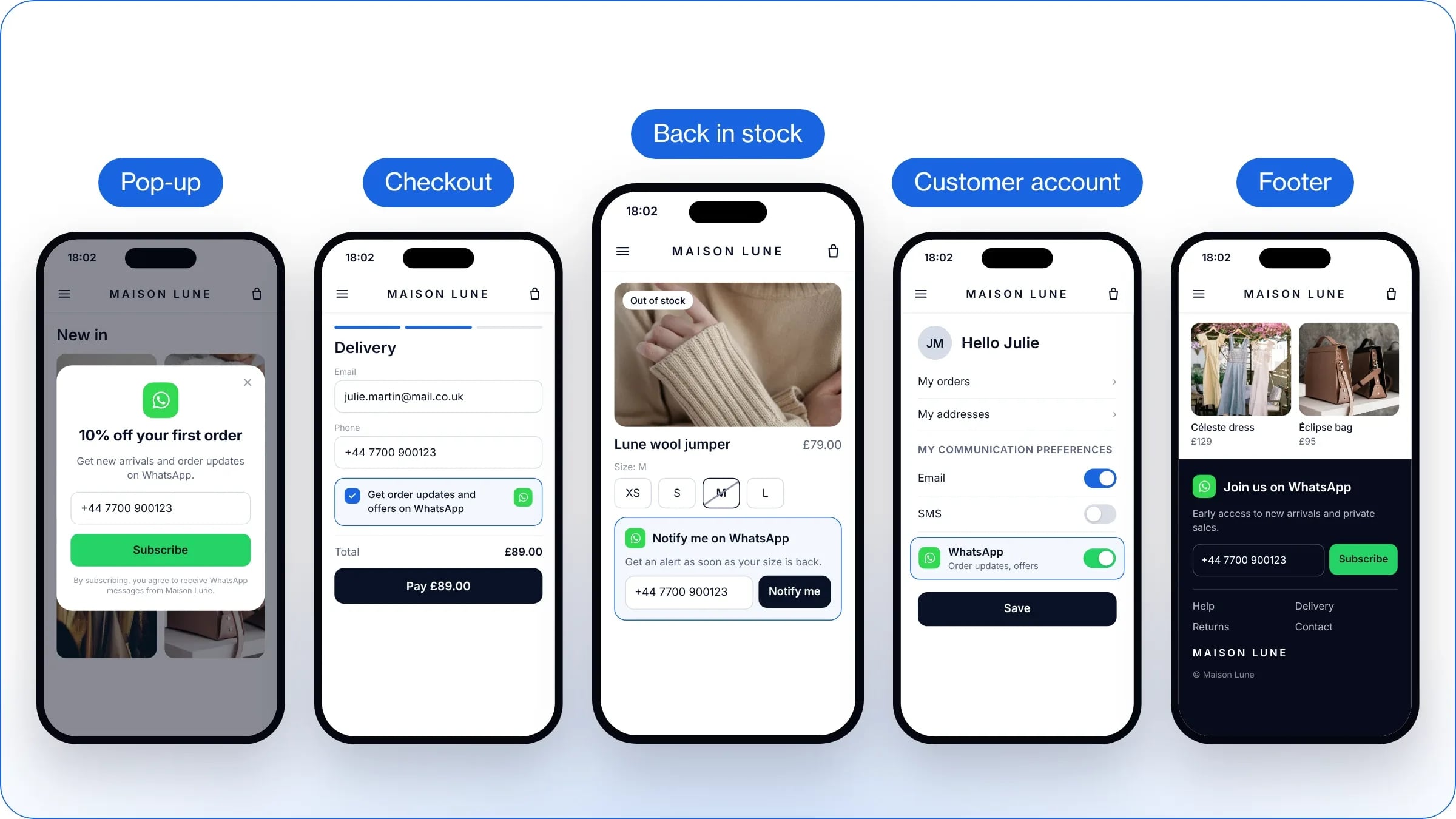
On your website, several strategic spots let you collect your visitors’ WhatsApp opt-in.
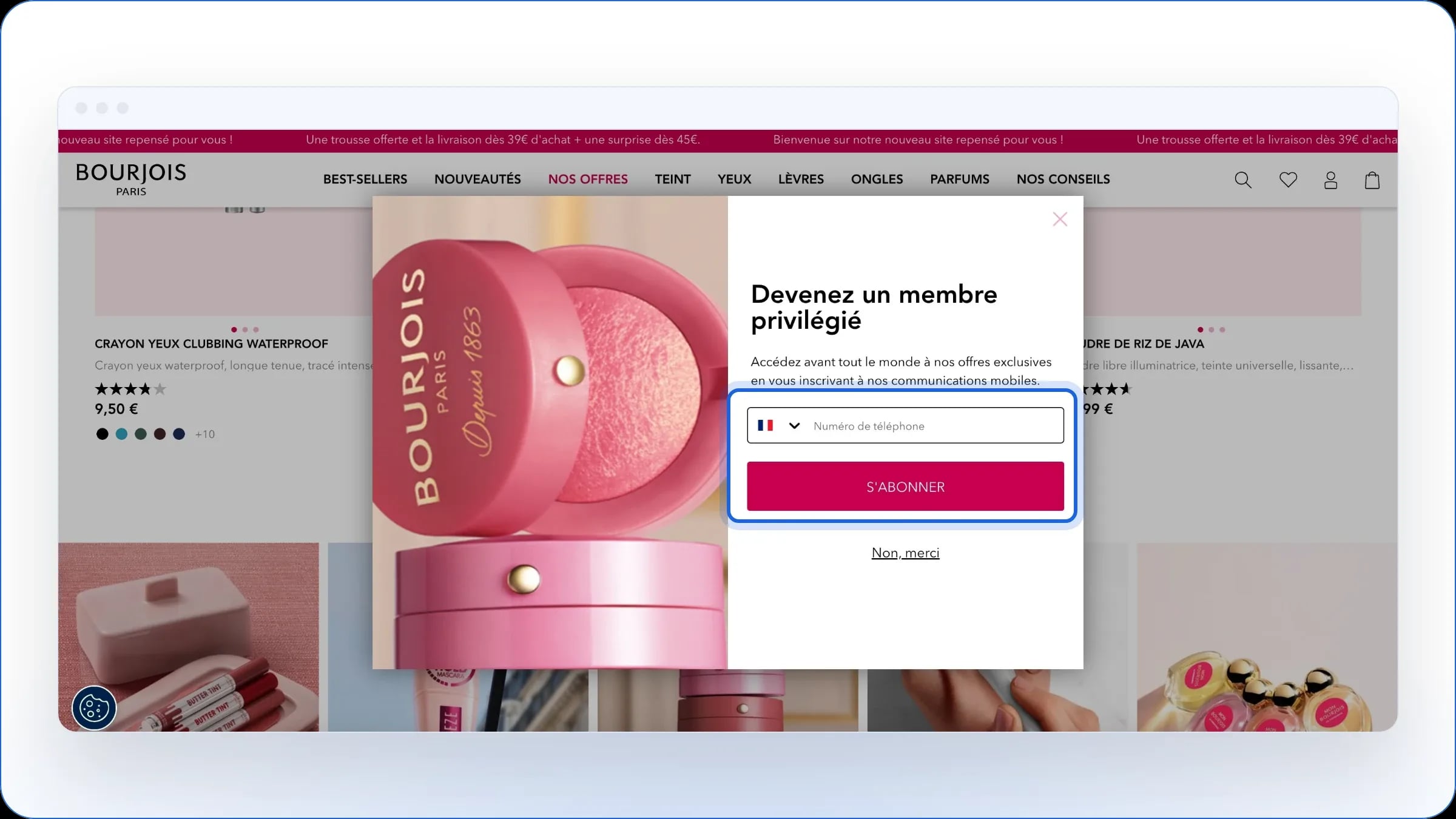
Pop-ups
They appear as soon as visitors land on the site, or when they are about to leave the page. To set them up quickly, build them with a pop-up tool connected directly to WAX and to your online shop. We recommend a two-step collection:
Step 1 (the email): capture the email address with a clear hook and a sign-up button.
Step 2 (the WhatsApp opt-in): ask for the phone number with an explicit consent notice and a dedicated perk to maximise conversion (extra discount, VIP access, exclusive offers).
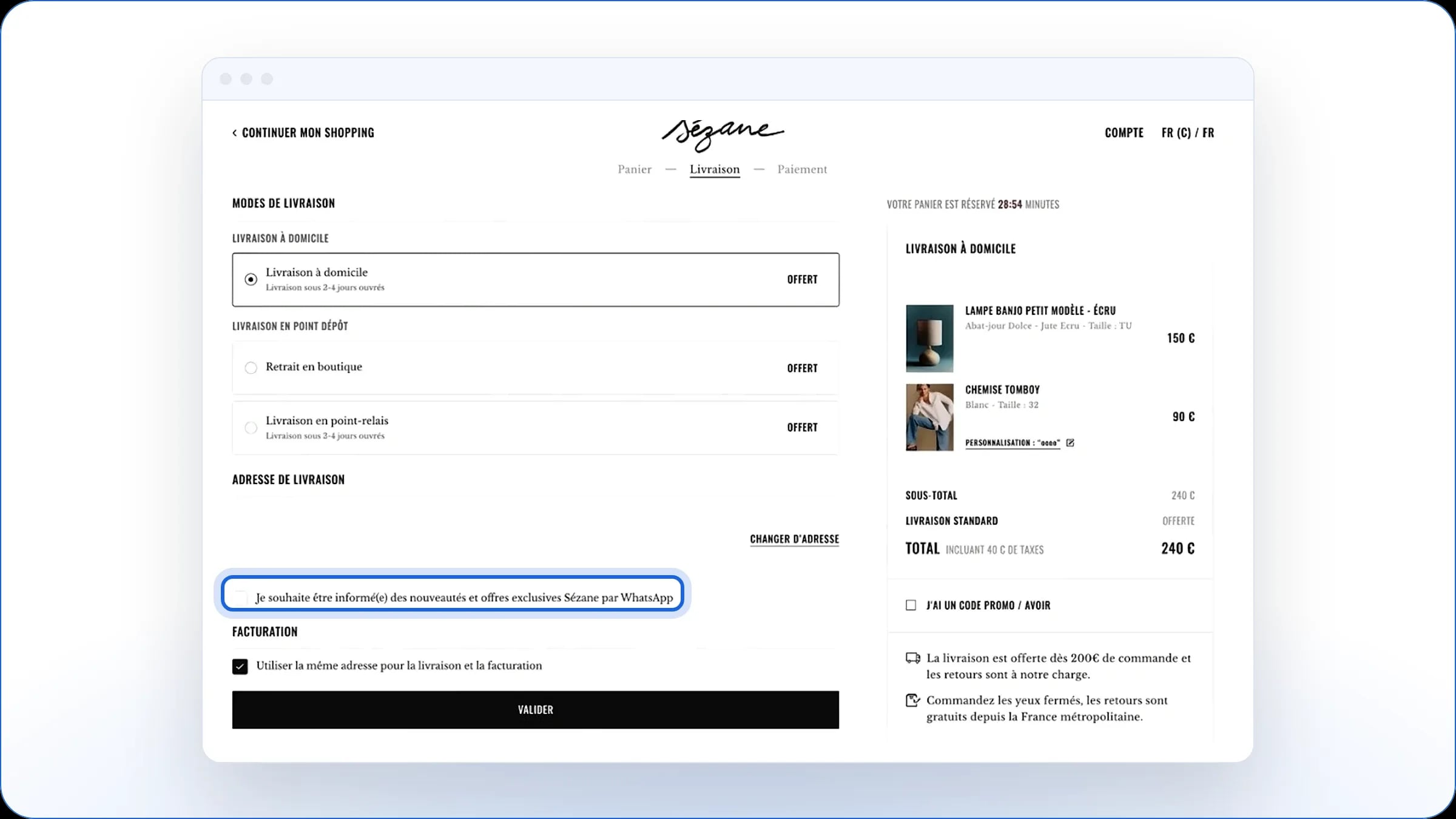
The checkbox at checkout
Placed right in the checkout step, it collects the customer’s consent at a key moment, when they have already entered their details to complete their order. Turn on the opt-in option in your CMS payment settings by simply adding an unticked box dedicated to WhatsApp.
Back-in-stock alert forms
Built into the pages of out-of-stock products, these forms meet a strong purchase intent by offering to notify the visitor on WhatsApp as soon as the item is available again. Add an optional box to receive your promotional offers too.
The customer account page
From their personal space, buyers can manage their communication preferences in one place and switch WhatsApp on or off themselves. Add an activation button or a checkbox in the “My preferences” section of the customer account, and make sure this choice syncs with your CRM in real time.
The website footer
Discreet but visible on every page, this spot lets your most engaged visitors join your audience at any time without interrupting their browsing. Add a sign-up form (number field, submit button and privacy notice) right in your footer.
The post-purchase journey
The post-purchase journey offers ideal moments to collect your buyers’ consent, because their engagement is at its peak. It is in fact the main lever for collecting opt-ins.
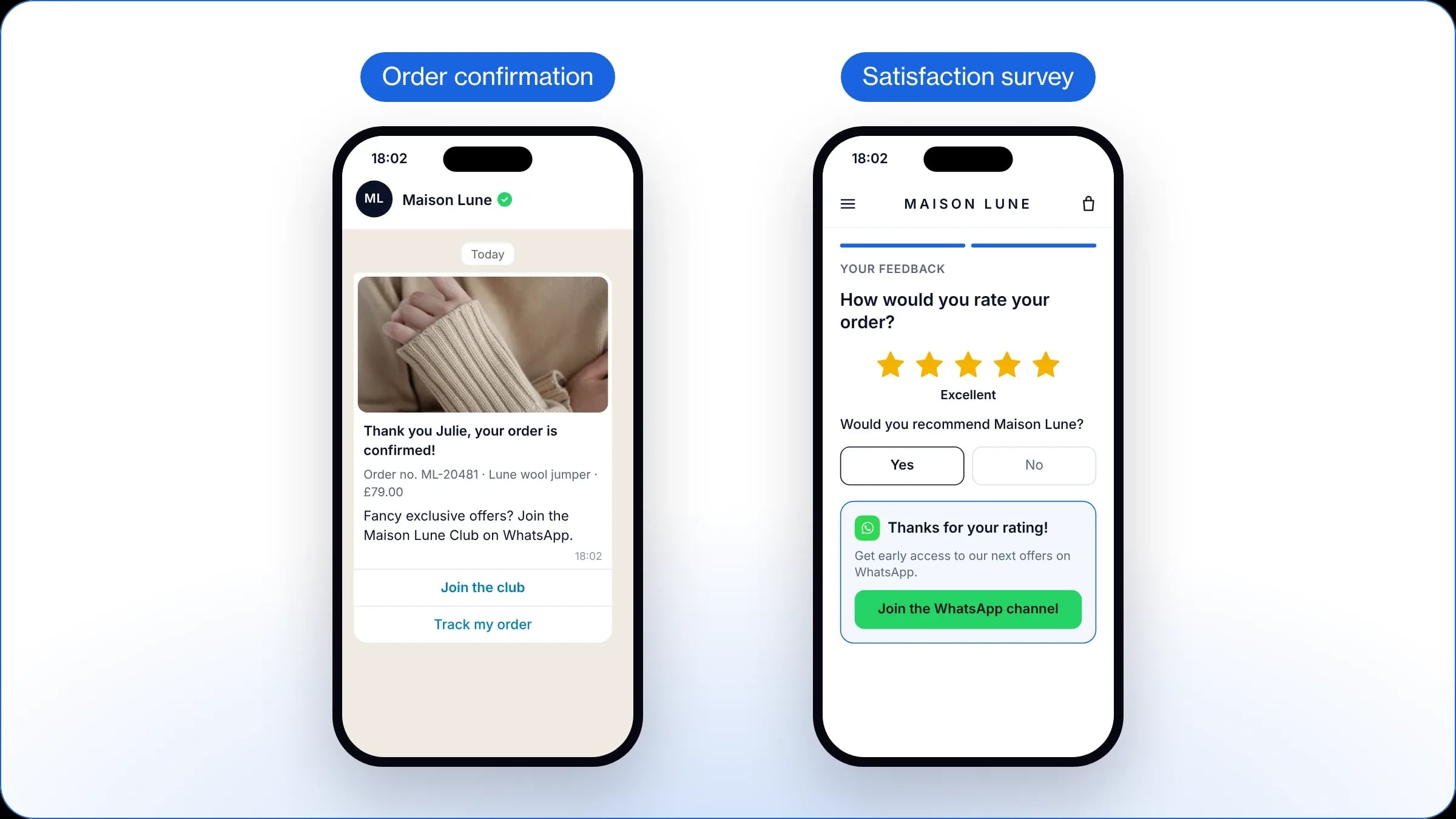
The order confirmation flow
Offering sign-up right after the purchase lets you build on the buyer’s immediate interest. Send a WhatsApp order confirmation message straight away, with an invitation to join the club and receive exclusive offers.
You can also add a dedicated block to your order confirmation email, with a button or a QR code that opens a pre-filled WhatsApp message so customers can give their consent in one tap.
The post-purchase satisfaction survey
You can also collect opt-ins at the end of a satisfaction survey, mainly from people who gave a positive answer. This lets you target the buyers most likely to buy again and to interact with your future messages.
As soon as a customer leaves a high score, automatically show them a sign-up link to your WhatsApp channel so they get your next offers first.
Acquisition through your other digital channels
You can build on the channels where your business is already present to convert an existing, engaged audience.
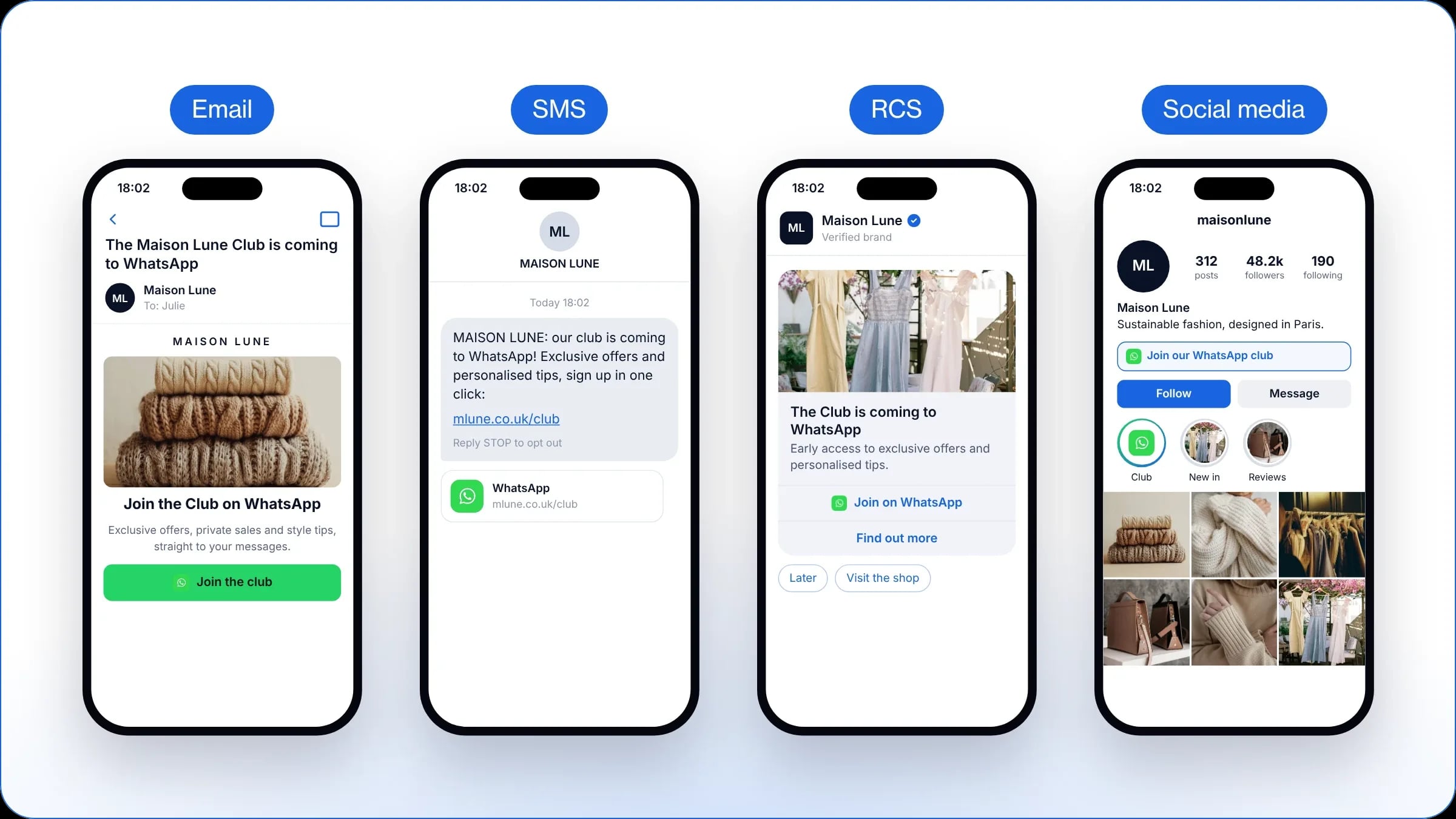
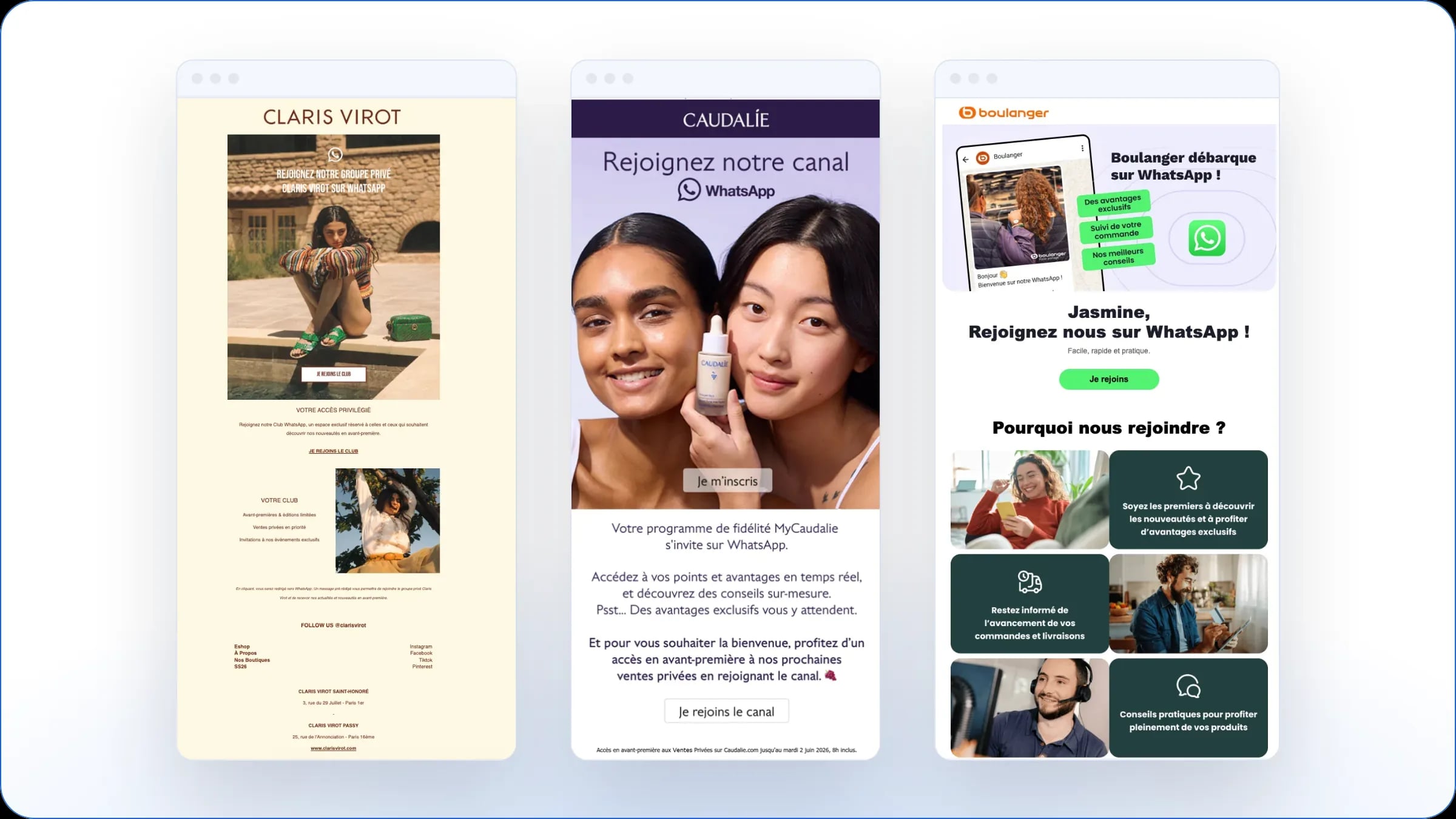
Email invitations: Mail-to-WhatsApp
Combine a one-off campaign and a permanent block to move as many newsletter subscribers as possible to your WhatsApp channel:
Dedicated campaigns: send a first announcement email to officially launch your WhatsApp club to your existing base, then repeat the operation with a dedicated Mail-to-WhatsApp campaign once a quarter.
Permanent blocks: alongside this, add a banner or a redirect footer to all your automated emails (welcome, order confirmation, reminder) to capture your most engaged readers.
Add a button that leads to a sign-up form, or a short link that opens the app directly with a pre-filled consent message.
SMS-to-WhatsApp or RCS-to-WhatsApp
Your mobile subscribers are already used to interacting with your brand on their phone: invite them to switch to WhatsApp for exclusive offers and personalised advice.
Schedule a targeted SMS campaign or RCS campaign with a direct link to a pre-filled consent message, so customers can confirm their sign-up in one tap.
Social media
Invite your followers on Instagram, Facebook or TikTok to join your WhatsApp audience and get early access to your new arrivals and private sales. Share a sign-up link in your bio, your posts or your stories to collect their consent.
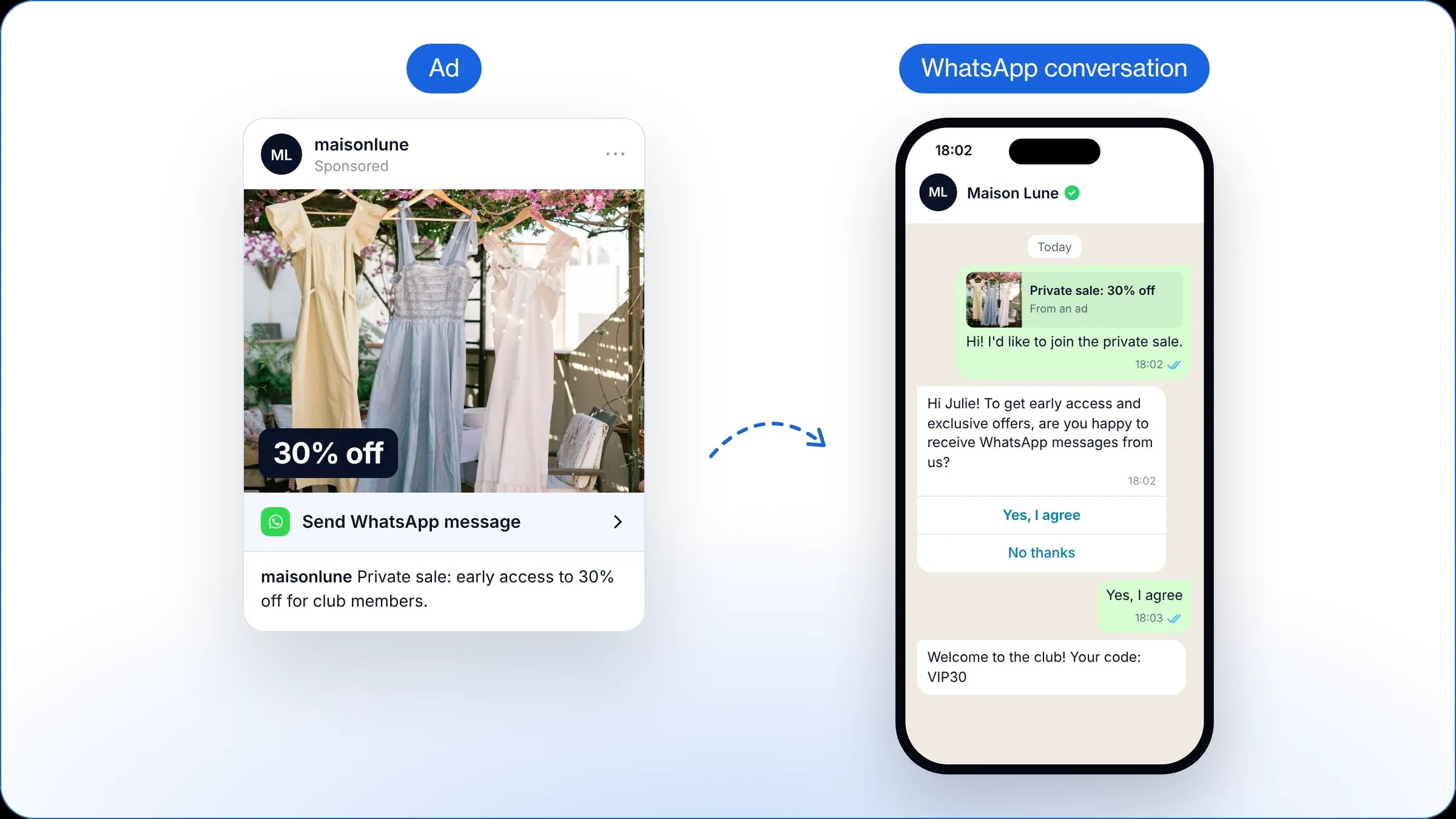
Click-to-WhatsApp ads
Shown on Facebook and Instagram, these ads instantly open a conversation with your brand. The user starts the exchange themselves. To do this, link your WhatsApp Business account to your Meta Ads Manager, then set up an automated flow to collect the opt-in. To find out more, read our complete guide to Click-to-WhatsApp ads.
Inbound conversations and customer service
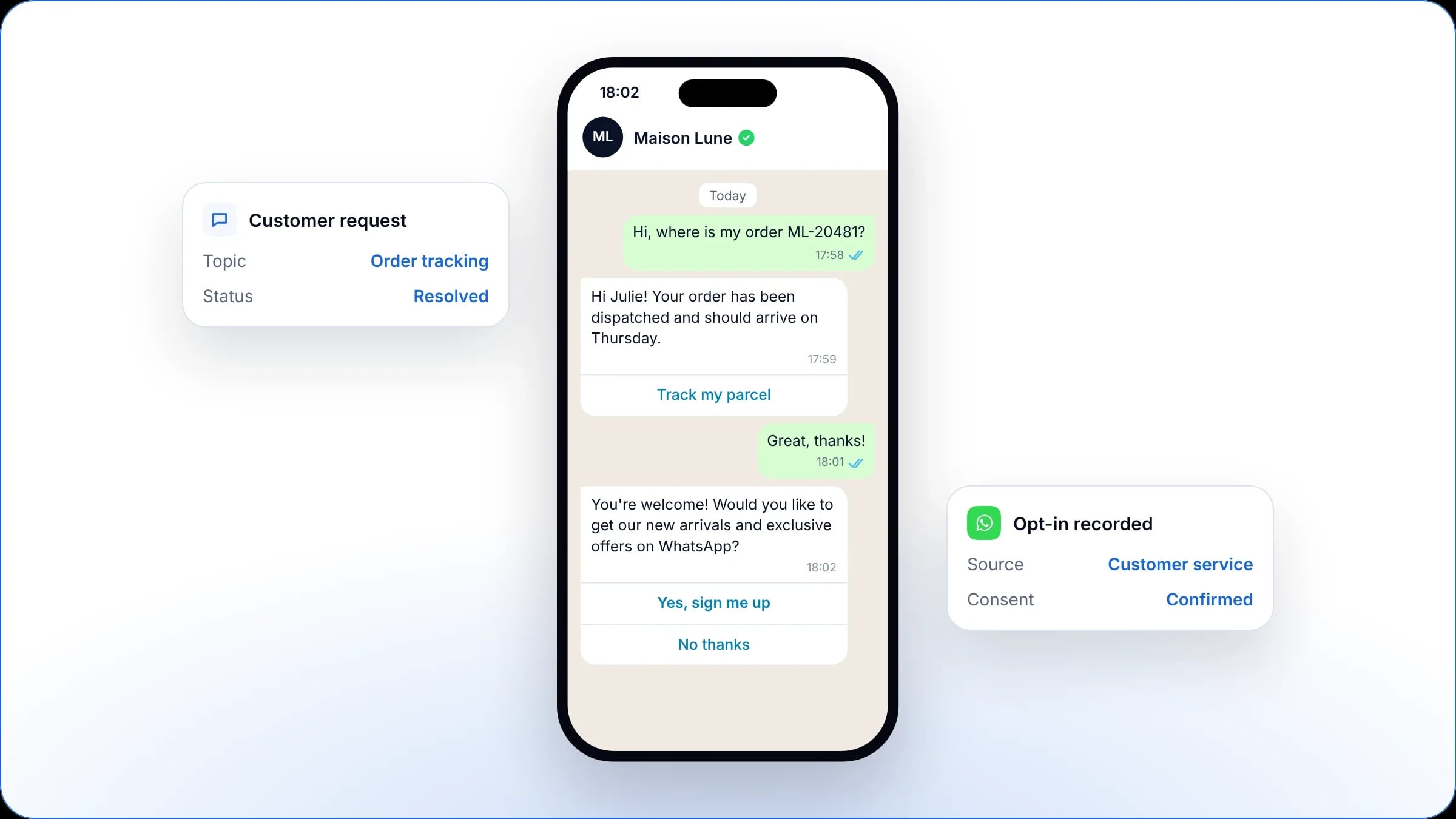
Every inbound conversation is a natural opportunity to sign up. When a customer writes to you to ask a question or contact your customer service, once their request is resolved, offer them your news through a dedicated opt-in link or button.
Physical touchpoints
In store
In your shops, display QR codes on your windows, tills, fitting rooms or point-of-sale displays to invite customers to join your channel. Generate a QR code that links directly to WhatsApp with a pre-filled sign-up message: as soon as the shopper scans it and sends the message, their opt-in is automatically saved in your contact base.
In the parcel
Slipping a flyer into your parcels catches the customer’s attention at the very moment they unpack their order, when their satisfaction is at its highest. Print a QR code on your thank-you cards or delivery notes, inviting the buyer to scan it to track their next orders and receive your exclusive offers on WhatsApp.
What are the best practices for asking for opt-in?
Highlight the concrete benefit
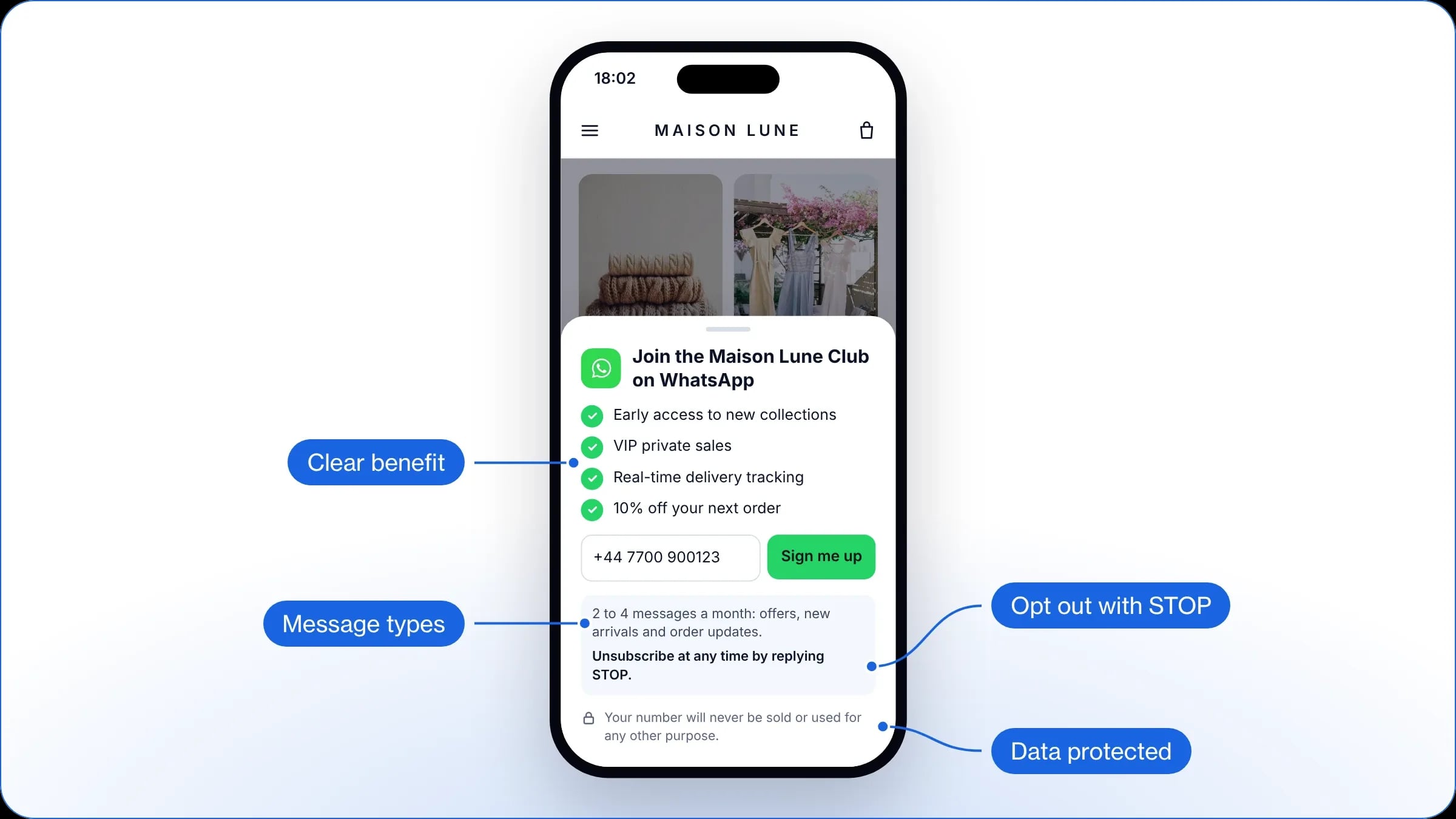
To encourage sign-ups, customers must immediately understand what they gain by joining your WhatsApp opt-in base. Play on the exclusive value of the channel, such as early access to new collections, VIP private sales, real-time delivery tracking, dedicated discounts and so on.
Be transparent and reassure the user
Ease the fear of spam by clearly stating the type of messages to expect (promotional offers, new arrivals, tracking notifications) and by pointing out that they can unsubscribe at any time by simply replying “STOP”. This builds the customer’s trust and makes it easier to get their consent.
Likewise, reassure users about the protection and privacy of their personal data, by guaranteeing that their phone number will never be sold or used for any purpose other than the one announced at sign-up.
Write an action-oriented message
Choose direct, punchy action verbs such as “Get”, “Unlock” or “Be the first to know”: dynamic wording encourages customers to join your WhatsApp channel. At checkout, for example, go for “Get your order tracking and our VIP offers on WhatsApp (reply STOP to unsubscribe)”. For a pop-up on the site, you could write “Join the WhatsApp club and get 10% off your first order, plus early access to our launches”.
Send a welcome message after the opt-in
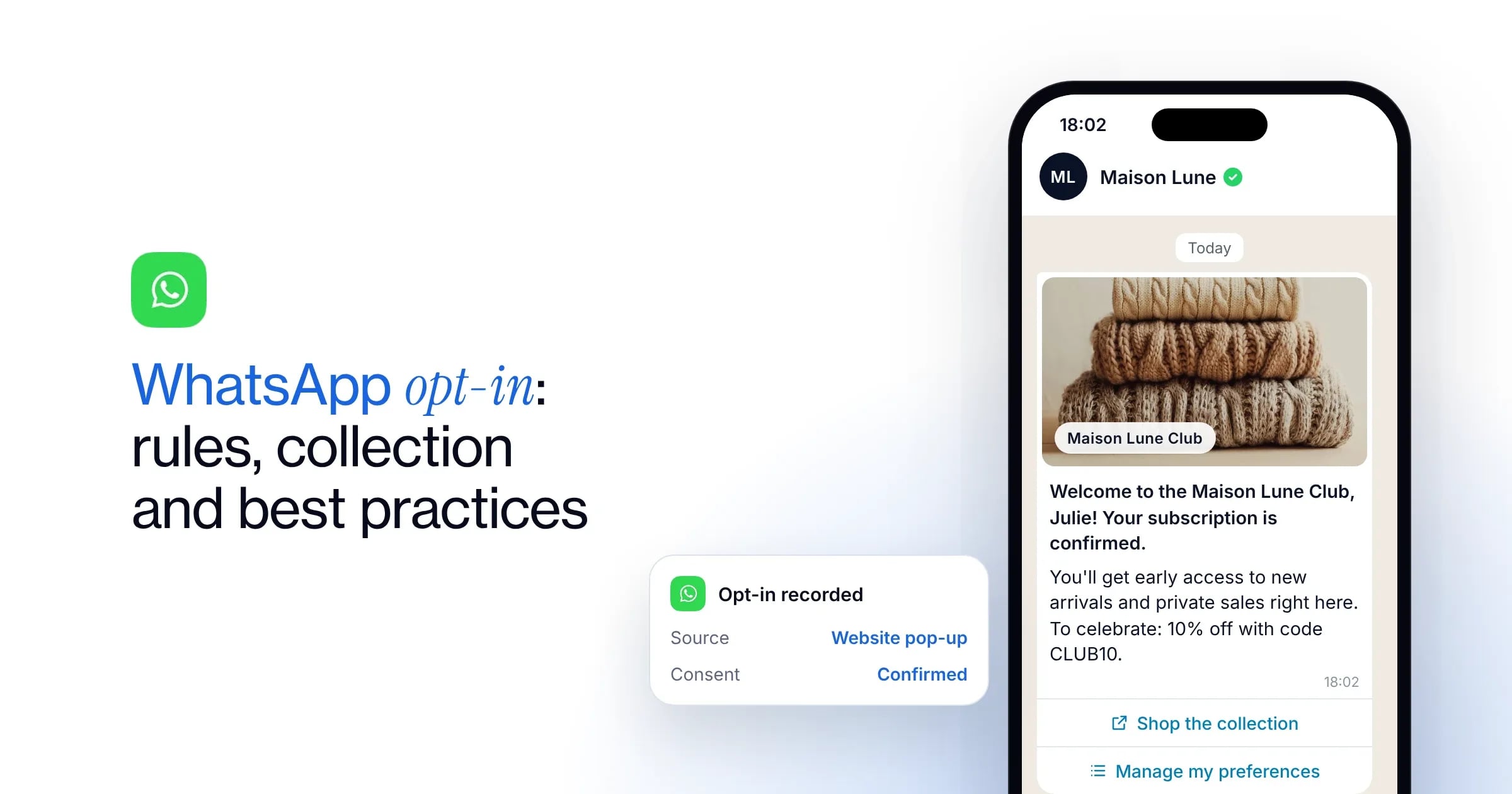
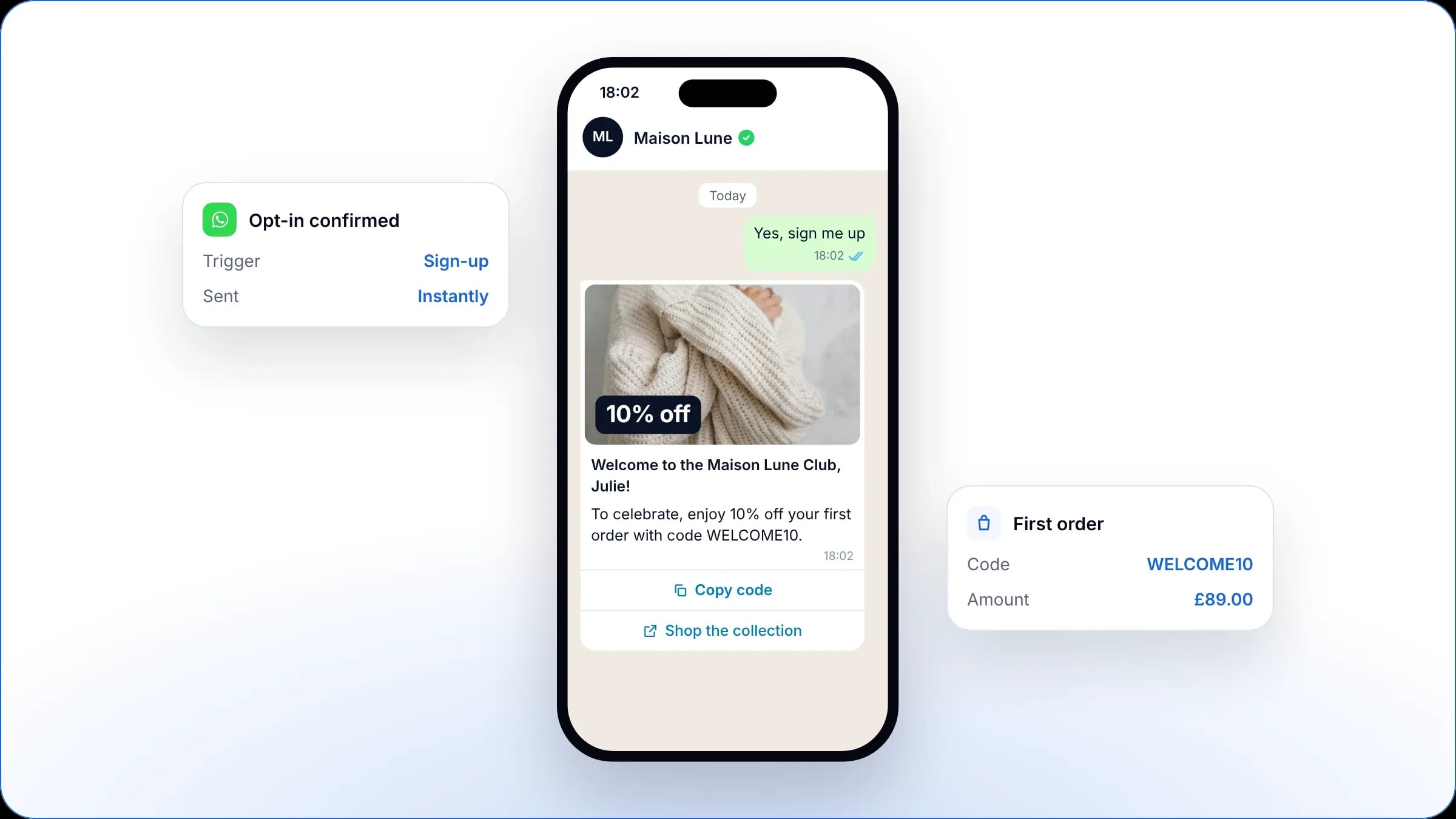
Schedule an automated welcome message for customers who confirm their sign-up. This first contact reassures the user and creates strong engagement from the start. It is the ideal moment to trigger a first conversion by offering a dedicated perk, such as a discount on their first order or an exclusive gift.
How do you measure and improve the performance of a WhatsApp opt-in base?
Analyse performance by collection point
To steer the growth of your WhatsApp opt-in base effectively, you need to track your performance indicators. In particular, compare the opt-in rate of each collection point to identify the levers that work best for your strategy.
Then check that the new subscribers open your notifications and really interact with your marketing campaigns, by comparing the read and engagement rates of each collection point. This analysis shows which acquisition sources bring in a more responsive, engaged audience.
On WAX, you get a ready-made analytics dashboard to compare these metrics.
Adjust the content and frequency of your messages
To keep your WhatsApp audience interested, always favour messages built around advice and customer benefit rather than a purely promotional approach. Use your CRM data to personalise every send and drive as much engagement as possible.
Finally, keep a close eye on unsubscribe (opt-out) and block rates after every marketing campaign: these indicators let you quickly adjust the frequency or tone of your communications to protect the quality of your base.
Clean your contact base regularly
Remember to regularly remove inactive contacts who no longer open your messages from your send lists. This not only protects your quality score with Meta, but also optimises your company’s marketing budget, since you stop paying for conversations that no longer generate any engagement.
Which mistakes should you avoid when building a WhatsApp opt-in base?
Misleading practices
To make sure your opt-in is valid, you must ban certain misleading practices when collecting it. Pre-ticked boxes are strictly forbidden by the UK GDPR, because consent must always result from a positive, explicit action by the customer. Likewise, avoid bundled consent, where a single box covers the terms and conditions, sign-up to another channel and WhatsApp messages, since each of these purposes requires its own permission.
Unqualified databases
Messaging bought or rented phone number lists is strictly forbidden by PECR and by Meta. On top of exposing your business to legal penalties, sending campaigns to this unqualified data triggers mass reports that lead straight to your account being suspended.
Lack of traceability
In the event of an ICO investigation or a customer complaint, having no proof of opt-in exposes your brand to legal consequences. To stay compliant with the UK GDPR, always archive the date, the collection source and the terms of every consent collected on WhatsApp.
How do you handle unsubscribes (opt-out)?
Make opt-out easy for the user
Set up the universal “STOP” keyword or add a dedicated unsubscribe button directly in your messages, so customers can remove themselves from your send lists in one tap.
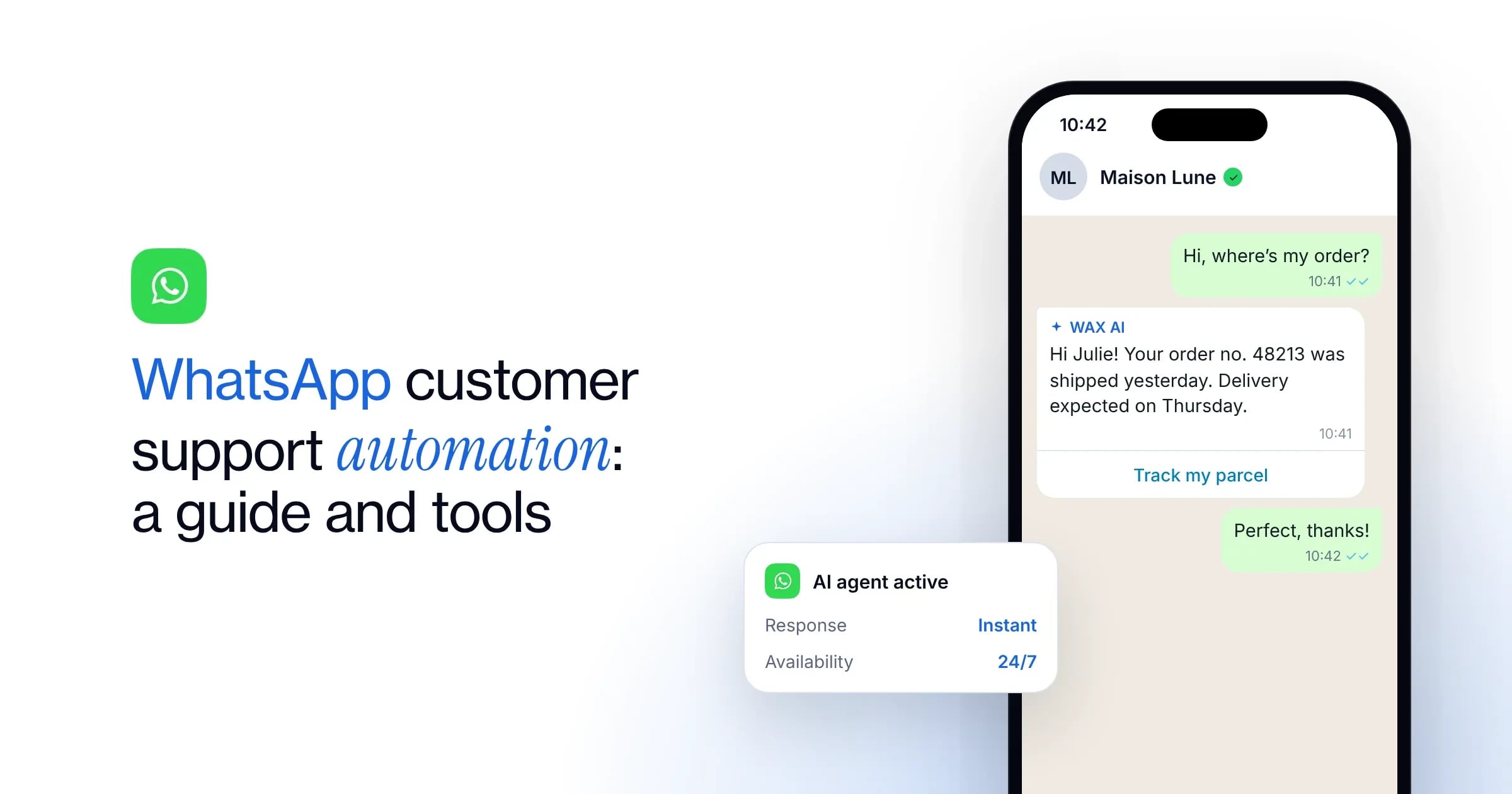
You can also rely on some AI agents for smart opt-out: WAX AI automatically detects the user’s intent and updates their status when they ask to unsubscribe in natural language (“I don’t want to receive messages any more”, “Stop writing to me” or “No more promos”).
Set up a confirmation reply
Reassure your customer by adding a reply block to your automated flow, right after the unsubscribe button. This confirmation message acknowledges the unsubscribe and closes the conversation transparently: “Done, you have been unsubscribed from our WhatsApp channel. We won’t send you any more marketing messages.”
Sync consents across your ecosystem
To manage your data reliably and avoid any unwanted messages, consent status must be updated in real time across your whole ecosystem. As soon as a customer confirms their opt-in or asks to opt out, the information must sync automatically between WhatsApp, your CMS, your marketing tools and your CRM.
FAQ
A WhatsApp opt-in is mandatory to send marketing messages, under PECR, the UK GDPR and Meta’s rules. Strictly transactional notifications linked to fulfilling an order (such as a purchase confirmation or delivery tracking), on the other hand, do not require an opt-in, as long as they contain no commercial incentive.
An inbound message is not a WhatsApp opt-in. If a customer starts the conversation with a product or after-sales question, you may only reply within the scope of that specific request. To turn this exchange into a valid opt-in, explicitly offer them the chance to subscribe to your channel at the end of the conversation.
A double opt-in is recommended when the number is typed in manually on a form (pop-up, checkout, stock alert). It eliminates typing errors and protects your quality score by avoiding messages sent to the wrong number. This extra step does, however, add friction to the user journey, which can reduce your final number of opt-ins.
As long as the contact stays subscribed, the proof of their consent (date, time, collection point and accepted wording) must be kept. After an unsubscribe or a period of inactivity, the UK GDPR does not set a fixed period: keep marketing data only as long as you need it, and keep the number on a suppression list so it never receives marketing again. You may keep the proof of the opt-in for as long as you might need to defend your business in a dispute.
A customer can unsubscribe at any time by simply replying “STOP” to any message they receive, or by tapping a dedicated button. A solution with an AI agent, like WAX, also detects requests made in natural language, such as “I don’t want to receive messages any more”.
WAX is a conversational CRM for commerce that helps brands engage, convert, retain and support customers across WhatsApp, RCS and SMS. It connects customer, product and order data to personalised conversations, campaigns, automation and AI.
Traditional chatbots primarily answer customer questions. WAX combines customer data, campaigns, automation, commerce and AI across the customer journey to help brands engage customers, drive purchases, build retention and provide customer support.
WAX includes visual tools for building campaigns and automations without coding. Some integrations may call for technical input during setup.
Most brands launch WAX within two to three weeks, including channel verification and initial setup. Timelines depend on the channels, integrations and use cases required.
WAX supports WhatsApp, RCS and SMS from one conversational CRM, allowing brands to manage customer conversations across multiple messaging channels.
Yes. WAX AI can transfer a customer conversation to a human agent with the conversation context, allowing the customer service team to continue the interaction without starting again.
WAX integrates with leading platforms including Shopify, WooCommerce, Salesforce, Klaviyo, Attentive, Zendesk and Gorgias. WAX also supports API integrations and webhooks, allowing brands to connect custom and proprietary systems. These integrations bring customer, product and order data into conversations across WhatsApp, RCS and SMS.
WAX tracks metrics including opt-ins, engagement, conversion and attributed revenue, helping brands measure the performance of campaigns across WhatsApp, RCS and SMS.